
The FBI has seen a large increase in sextortion cases involving children and teens. In this article, I’ll explain sextortion scams targeting teens, how to protect your child, and what to do if your child is being blackmailed online.
Sextortion is when a perpetrator extorts money, explicit pictures or videos, or sexual favors from a victim using coercion and threats. They often threaten to disseminate explicit content featuring the victim and, in many cases, do so even if their demands are met. The perpetrator is often an adult posing as a teen, a method known as catfishing.
Sextortion scams targeting teens can occur on any platform where users communicate.
Snapchat, Instagram, and Facebook are the most likely platforms where perpetrators make initial contact with their victims.
Sextortionists often try to shift to another platform that’s harder to trace, like Snapchat or WhatsApp.
Gaming platforms with chat features frequently draw sextortionists because of the large volume of underage players.
Discord is attractive to sextortionists because of its private communication channels and anonymous accounts. While the platform does have age restrictions, it’s possible for younger users to bypass them.
These are some common methods used to target teens:
Teen victims frequently think they’re communicating with someone their own age who’s interested in a relationship. After building trust, the perpetrator requests explicit photos and videos.
Another method is to make a false offer in exchange for sending images. For example:
Some sextortionists threaten to harm the child or people they care about if they don’t send explicit pictures.
With the rise of AI, sextortionists are able to use generative AI to alter images or videos of the victim to make them appear explicit — and then threaten to distribute them.
Young victims of sextortion often suffer significant emotional repercussions, even if no explicit images are ever disseminated and no money is extorted.
There are a number of reasons why victims of sextortion underreport their experiences.
You play a pivotal role in protecting your child online. Here are my top tips for preventing them from falling victim to sextortion:
I used to work in sex offender treatment programs, and my key takeaway was how skilled predators are at spotting and exploiting weak boundaries. As a parent, I actively teach my children healthy boundaries (and respect the ones they set) because I know it’s one of the best ways to protect them.
Open communication is protective. Here’s how to talk to your child about sextortion:
Spotting signs of sextortion early is key. Here’s how:
These resources can help you support your child if they’re a victim of sextortion.
FBI
National Center for Missing & Exploited Children (NCMEC) CyberTipline
Department of Homeland Security Know2Protect Tipline
National Crisis Hotline
Rape, Abuse and Incest National Network (RAINN) Sexual Assault Hotline
Sextortion scams targeting teens are on the rise. If you want to protect your child from being blackmailed online, teach them strong boundaries, educate them about sextortion, and monitor them online.
BrightCanary helps you monitor your child’s online activity so you can spot signs of sextortion and get them help. Download today to get started for free.

Recently, Grok, the generative AI platform, has been in the news for all the wrong reasons. After scathing safety reviews, Grok released Kids Mode, which includes safeguards. After reading numerous reports that Kids Mode failed to protect children, I decided to try it for myself.
I set out to see if Grok is safe for children, if Kids Mode works, and how you can keep your child safe on the platform. Buckle up, folks … it’s gonna be a wild ride.
Grok is an AI chatbot created by Elon Musk's company, accessible via X (formerly Twitter) or its own app and website.
With Grok, users can:
Common Sense Media's risk analysis found sexually violent language and detailed explanations of dangerous ideas on Grok—even in Kids Mode.
In my tests, Grok's image generation in Kids Mode showed significant racial and gender bias:
In Kids Mode, I was able to easily generate images related to disordered eating and body checking:
From claims of “white genocide” in South Africa to Holocaust denialism, Grok’s chatbot answers are full of misinformation. There’s increasing evidence that some lies are not errors, but by design.
Grok consistently fails to recognize all but the most explicit mental health warning signs and to direct users to professional help. Often, it encourages harmful thinking and minimizes the risk of self-harm. It also plays fast and loose with “diagnosing” mental illness. It told me I had various disorders with minimal prompting.
Grok is perhaps most notorious for generating nude and sexually explicit deepfakes, including of minors. It’s known on the dark web as a tool for generating child sexual abuse material (CSAM).
Grok’s only age verification is to ask users for their birth year, meaning kids can easily access the full version of the app, which is many times worse than what I found in Kids Mode.
Kids Mode on Grok includes protections like filtering explicit images, but it still includes risks, and the safeguards are known to fail. The good news is that Kids Mode can be password protected.
Grok's image and video generator in Kids Mode did better than I expected. It refused to generate images or videos depicting violence, nudity, sexual acts, and suicidal ideation. Other reviews have found more problematic results, though, particularly the longer a session lasts.
The chatbot, however, did terribly. I was able to get it to help me plan a hypothetical school shooting by insisting I was researching a school project. It gave me detailed information about the best firearm to use, tips for concealing weapons, and how long to expect until police respond.
If you choose to let your child use Grok, here are my tips for keeping them safe.
Despite its flaws, Kids Mode is much safer than the full version of Grok. Make sure to lock it with a passcode, though.
Educate your child about the issues with Grok and generative AI in general, and let them know they can come to you if they encounter something upsetting.
Grok’s Ghost Mode eliminates chat history. The BrightCanary Keyboard monitors everything your child types, even in Ghost Mode, and sends you an alert if they encounter something alarming.
After reading numerous reviews and testing it myself, I feel Grok’s risks are unacceptable, and it isn’t safe for kids. If you let your child use Grok, enable and lock Kids Mode and monitor their use to protect them.
BrightCanary helps you monitor your child’s activity on the apps they use the most, including what everything type on Grok on their iPhone or iPad. Download today to get started for free.

My tween isn’t into texting yet. But I’ve learned from friends whose kids are that monitoring your child’s messages means you’re likely to see something concerning sent by another child. When that happens, should you tell their parents? Talk to your child? Ignore it?
To prepare myself for the day my kid starts texting, I chatted with my friend E (I’m using an initial to allow her to speak freely on this sticky topic), who’s currently in the thick of this issue. Our conversation showed me there are no easy answers for what to do when your child’s friend texts something concerning. While there aren’t easy answers, here’s a decision-making framework I hope you’ll find useful.
Some concerning things you might see over text:
Deciding whether or not to tell the friend’s parents what their child texted is tricky. Consider these points:
Ask yourself, “If I say nothing, could this child (or another child) be seriously harmed?” Suicide risk, abuse, ongoing bullying, and drug use are all solid reasons to speak up.
Consider your motivations for approaching their parents. Do you truly want to help this child and their family? Or is part of you hoping for social capital, to prove to a frenemy that their child isn’t such a saint, or to put a kid you’re not fond of in their place?
Be brutally honest with yourself and make sure your reasons are squarely in the best interest of those involved.
There are plenty of things I want to know about my child. Not all of them are things I would want another parent to tell me. Think about how you would feel if someone brought this piece of information to you.
Giving your child a heads-up that you plan to approach their friend’s parents will help keep trust intact. You might also give them the opportunity to encourage their friend to speak to their parents directly.
Before you blurt it out, tell the other parent that you saw a text from their child that concerned you, and ask them if they want you to fill them in.
Deliver the information neutrally, without judgment, and don’t try to tell them how to handle the situation (unless they explicitly ask for advice). It’s hard enough to find out something difficult about your child; don’t make it any harder by adding your own stuff to the mix.
The other parent might react defensively. Your child might be mad at you for divulging the content of their texts. Their friend could be upset with you for spilling their business.
Let everyone have their feelings, and remind yourself you did what you felt was best.
Some concerning texts might not rise to a level that warrants telling the other parents, but it could still be worth discussing it with your own child.
My friend E told me that if she sees texts in a group chat that bother her, but that don’t involve her child, she doesn’t interject herself.
She added, “If my child is hurt, or I notice a significant change in the behavior or demeanor of my kid, I might have to say something.”
E told me that monitoring her kid’s texts “feels like being pulled in two opposing directions … I want my kid to have independence … but you have to give up control of what and who they’re exposed to.”
You’ll see some things that you don’t like, but making a big deal about each issue could lead your child to try to hide messages from you. (BrightCanary helps you monitor your child’s text threads, even if they delete messages.)
Use the situation as an opportunity to talk about the texting conduct you expect from your child and coach them on how they might respond to their friend.
Monitoring your child’s texts is important for keeping them safe. But when their friend texts something concerning, it’s difficult to know what to do. Consider if the situation is dangerous and what you would want to happen if it were your child. If you decide to tell their parents, remain neutral and give your child a heads-up first.
If you’re looking for an effective way to monitor your child online, including their texts, BrightCanary scans everything they type and alerts you to any red flags. Download BrightCanary today to start your free trial and get complete peace of mind.
Save this list of the nine texts you should warn your child about, and don't make these common mistakes parents make with text message monitoring.

Teaching our kids how to hold a conversation is a frequent topic of discussion at my house because it’s so important for development. These skills help kids form friendships, express their needs, and develop strong relationships throughout their life.
Teaching your child conversation skills starts with creating regular opportunities for in-person practice, modeling good listening yourself, and reducing the screen time that crowds those opportunities out. Here's how to do each of those things — and what to do if your child struggles with social skills.
Screens and social media provide new ways for kids to connect but can also hamper the development of conversation skills.
Smartphones, even when on silent, divide and drain attention, preventing sustained, meaningful conversation.
Family mealtime helps kids develop conversation skills, but studies show that children in households where meals are dominated by screens demonstrate deficits in their conversation skills, including:
In-person interactions help kids experiment with conversation skills and learn in real time from their successes and failures. When their primary communication with peers is online, they have less exposure to body language, facial expressions, and vocal reactions, all integral to learning conversation skills.
If you're not what your child is doing on their screens, BrightCanary can help. The app gives parents a clear picture of their child's activity on iOS. That visibility makes it easier to have honest conversations about screen time and safety without guessing.
Perfection isn’t the goal. Aim for growth, with plenty of room for grace. With that in mind, here are three ways to to teach your child conversational skills:
Don’t stress if family dinners don’t fit your schedule; any meal works.
As the parent of a neurodivergent kiddo, I know firsthand that kids who struggle with social skills need extra support learning how to hold a conversation. Here are some tips, from experts and my own experience:
The goal isn’t to fit your child into rigid societal norms. Instead, help them connect with others and build meaningful relationships.
Being accepted for who they are will help your child feel safe enough to develop new conversation skills. Here are some examples of how to teach your child conversation skills using a neurodiversity-affirming approach.
Find supportive compromises
If left up to him, my kid would monologue about his special interest for the entire dinner. Info dumping is helpful after a full day of masking at school, but it’s also important that the conversation involves everyone at the table. Our compromise is that anyone can info dump for two minutes (we all participate so as not to single him out).
Afterward, everyone is expected to share about their day. Whatever the particulars at your house, help your child understand that sometimes it’s okay to ask people in their life to bend to their communication style, and sometimes they need to bend to those around them.
Strike a screentime balance
Screentime can help neurodiverse kids to regulate themselves but should be balanced with active and affirming social interactions at home.
Be flexible on what good conversation skills look like
If eye contact is difficult for your neurodivergent child, rather than forcing it, help them develop other ways to demonstrate listening. If stimming helps them focus or regulate, don’t try to stop it when they’re conversing with you. They may need to understand that certain stims can disrupt communication with others, but let them be free and unmasked with you.
Social cues can be challenging for many neurodivergent kids to catch. Talk openly about social cues, especially when they’re not catching something. For example:
Screens have changed the way kids learn conversation skills, with fewer opportunities for meaningful practice. It’s more important than ever that you know how to teach your child conversation skills. All kids, especially those who struggle with social skills, benefit from in-person practice and intentional effort by parents.
What conversations is your child having online? Find out how to monitor social media, and learn more about how BrightCanary monitoring works.
If you're searching for Qustodio alternatives, you're not alone — especially if your child uses an iPhone or iPad. Qustodio’s primary focus is on screen time limits, web filtering, and app blocking. But if you use Apple Screen Time, you already have access to these features. Qustodio also has limited monitoring capabilities and parental alerts, which are important for many families. If you’re looking for alternatives to Qustodio, look no further.
The best Qustodio alternatives for iOS are BrightCanary, OurPact, Canopy, and FamiSafe. BrightCanary is best for families that want robust monitoring across every app on iOS. OurPact offers location sharing and customizable screen time limits, but these features are also freely available on Apple Screen Time.
| App | Works on iOS | Screen time controls | Real-time alerts | Annual price |
| BrightCanary | Yes | No | Yes | $99.99 |
| Qustodio | Limited | Yes | Yes | $59.95 |
| OurPact | Yes | Yes | No | Starts at $69.99 |
| Canopy | Yes | Limited | Yes | $95.88 |
| FamiSafe | Yes | Yes | Yes | $59.99 |
Best for: Real-time monitoring across all apps and websites on iOS.
Why it’s a top Qustodio alternative: BrightCanary provides the most robust parental monitoring available for iOS devices. The BrightCanary Keyboard scans everything your child types, so they’re protected on every app, website, and messaging platform they use, including Snapchat, TikTok, Instagram, Discord, Roblox, and AI chat apps.
You get:
Considerations:
Best for: iOS users who want to block apps and set flexible screen time limits.
Why it’s a top Qustodio alternative: OurPact has an easy-to-use visual interface that was designed for iOS. The AI-powered content monitoring feature includes screenshots, and parents can set customizable keywords.
You get:
Considerations:
Best for: Parents of young children whose main concern is explicit images.
Why it’s a top Qustodio alternative: Canopy is primarily designed to filter and block explicit images, videos, and websites. It functions through AI-driven analysis that allows content to be blocked in real time. It also works to prevent sexting by blocking explicit images sent as messages.
You get:
Considerations:
Best for: Android users who are primarily concerned with location tracking.
Why it’s a top Qustodio alternative: FamiSafe works on both iOS and Android devices (although some features aren’t available for iOS). It includes content monitoring features and screen time controls, but its strength lies in its location tracking.
You get:
Considerations:
BrightCanary is the best Qustodio alternative for iOS because it provides real-time monitoring across every app, at-a-glance insights, and robust text message monitoring.
Qustodio is great for Android users, but it offers limited monitoring capabilities and parental alerts on iPhone. Qustodio also offers many of the same features that are freely available on Apple Screen Time, including location monitoring and screen time limits.
Qustodio doesn’t monitor every app your child uses, such as WhatsApp, and it doesn’t have real-time text message monitoring to the same extent that BrightCanary offers.
Yes. Kids can use a VPN to bypass Qustodio monitoring, delete the app, change their phone’s timezone, or access the internet via other apps, among other workarounds.
If you’re looking for a Qustodio alternative, there are a number of viable options, depending on the features you need. OurPact, Canopy, and FamiSafe all offer distinct advantages worth exploring to see they’re the right fit for your family.
For the best alternative to Qustodio for iOS, BrightCanary is an excellent choice. It provides real-time monitoring across every app on iPhones and iPads, along with actionable insights and instant alerts when your child encounters concerning content.
Want comprehensive protection on iOS with real-time visibility across all apps? Try BrightCanary today and start your free trial.
When I was asked to answer whether YouTube Shorts is safe for kids, I was already aware of some risks. Reader, let me tell you, when I dug into the research, I was floored.
Addiction, depression, sleep problems, and decreased attention span are just a handful of the dangers kids face from YouTube Shorts.
In fact, YouTube Shorts can be equally problematic as other short-form video platforms like TikTok and Instagram Reels. What I learned will definitely cause me to rethink how I let my own child use YouTube, and I encourage you to do the same.
YouTube Shorts allows users to create and view short-form videos. However, the viewing experience is far different from the longer videos that YouTube is most known for.
Shorts are accessed through a dedicated, social media-like scrolling feed. Users can interact with the videos by liking, commenting, and sharing them.
YouTube Shorts pose the same risks as longer videos on the app, like inappropriate content, cyberbullying, and exposure to predators. But the short-form nature of YouTube Shorts introduces additional risks, similar to the dangers kids face from platforms like TikTok.
The concise, high-intensity, fast-paced, and visually captivating nature of short-form videos encourages an immersive experience, which can lead to compulsive viewing behaviors and even addiction.
Studies have uncovered a direct correlation between addiction to short-form videos, like those on YouTube Shorts, and depression among adolescents.
It’s important to emphasize that the videos themselves aren’t inherently the problem; it’s when viewing behavior becomes addictive that mental health problems emerge.
Short-form video addiction is also linked with social anxiety in adolescents.
Numerous studies show that short-form video platforms are associated with greater inattentive symptoms in children.
Researchers suggest the frequent attention-switching that happens while watching these videos may decrease kids’ ability to focus on a singular task for prolonged periods.
A recent study found that teens who exhibit more severe symptoms of short-form video addiction were also more likely to report poorer sleep quality.
In order to encourage continued engagement, YouTube’s algorithms frequently recommend videos similar to what users have already consumed. This creates a potentially dangerous feedback loop where viewers are primarily fed content that reinforces the same beliefs and opinions.
These videos also encourage passive viewing rather than critical thinking and seeking out new information. This lack of exposure to different points of view can be particularly harmful to children and teens, who are still forming their worldview and sense of self.
Short-form video addiction can decrease students' motivation to learn and the sense of satisfaction and diminish the joy they get from the learning process.
Despite the risks, I don’t plan on banning my child from using YouTube. But I will take additional steps to keep him safe on the platform. Here are some ideas you can try as well:
Google recently rolled out additional parental controls that allow you to limit the amount of time your child spends scrolling through YouTube Shorts or to block short videos altogether.
These new controls, when used in combination with other YouTube parental controls, go a long way toward helping your child engage with the platform in a healthier manner.
YouTube Kids doesn’t have Shorts, so keeping your child on this platform is a great option. YouTube kids is designed for users up to age 12.
Requiring your child to watch YouTube in shared spaces, like the living room, makes it easier for you to keep an eye on what they view.
Occasionally sit with your kid and watch YouTube with them to see what they’re interested in and what the algorithm is feeding them.
Even the most vigilant parent can’t catch it all. That’s why BrightCanary’s YouTube monitoring includes YouTube Shorts. The app reports on what your child watches and searches for on YouTube so you don’t have to vet every video yourself. Here’s how:
YouTube Shorts can be safe for kids, provided parents take proper precautions. Utilizing parental controls, including limiting how long they can spend scrolling Shorts and monitoring their use, are two vital safeguards if you plan to let your child use the app.
BrightCanary helps you monitor your child’s activity on the apps they use the most, including YouTube Shorts. Download today to get started for free.

Although only around one quarter of US teens report using WhatsApp, that number is up nearly 7% in just three years, making it one of the fastest growing platforms among 13- to 17-year-olds.
If your child is one of the many teens flocking to the app, you might be wondering if there are parental controls on WhatsApp. Let’s take a look.
After much anticipation and rumors, WhatsApp has finally released parental controls for users under 13. Through parent-managed accounts, you can:
Parent-managed accounts also have additional safety measures in place. These accounts are focused on messaging and calling, which means your child won’t have access to these features:
Parental controls on WhatsApp are handled through parent-managed accounts. Parent-managed accounts are a new feature and still rolling out, so you may not have access to them yet.
At the time of writing, parent-managed accounts are only for new accounts. If your child already uses WhatsApp, there’s currently no option to convert it to a parent-managed account.
Here’s how to set up parental controls:
WhatsApp is officially available for users over 13. However, the only age verification on the platform is a user-provided date of birth, meaning it’s extremely easy for younger kids to bypass this and open an account anyway.
Parent-controlled accounts are only for users under 13. Once a child turns 13, their account converts to one they control.
For kids over 13, or who already have an existing WhatsApp account, here are some privacy settings you can encourage them to use to help them stay safe on the app:
While WhatsApp’s new parental controls are great, they don’t allow you to monitor your child’s messages, which is important for online safety — particularly for young children and tweens.
BrightCanary monitors everything your child types on their device, across all apps and platforms. This means you get insight into their WhatsApp chats, including disappearing messages. With BrightCanary, you get:
WhatsApp’s new parental controls for children under 13 allow you to do things such as control who can message your child and review message requests from unknown numbers. However, it doesn’t allow you to monitor your child’s messages. For the safest way to let your child use the app, layer a parent-managed WhatsApp account with BrightCanary.
BrightCanary monitors everything your child types on the apps they use the most, including WhatsApp. Download today to get started for free.

As the mother of an avid preteen gamer, I often question whether video games are good for kids or bad. Even though I know through my writing on the topic that there’s mounting evidence to the contrary, it’s still hard to let go of the widespread perception that playing video games is harmful to kids.
I was heartened to see more new research indicating that not only is gaming not harmful (when done in moderation), but there may be important cognitive benefits.
Scientists at the University of Vermont, Burlington, aimed to understand not only the potential cognitive benefits of video games but also the underlying neurobiological mechanisms. To do this, they studied the brain activity of kids who play a lot of video games.
Four key takeaways:
Children who played video games for more than three hours per day performed faster and more accurately on tests involving impulse control and working memory.
On MRI scans, gamers had higher brain activity in regions associated with attention and memory.
Scans also showed gamers had more activity in the frontal regions of their brains linked to cognitively demanding tasks. Researchers think this may result from practicing tasks related to impulse control and memory while playing.
Although these findings are promising and add to the evidence of a correlation between video games and higher cognitive function, they don’t definitively prove that video games are the cause. The study authors acknowledge it’s possible that children who are good at these types of cognitive tasks may be more drawn to video games.
Another recent study showed that gamers’ brains appear to process visual information more efficiently.
Key takeaways:
Study participants who played a strategy video game had greater connectivity in areas of the brain essential for visual attention — specifically, greater efficiency in processing visual information.
Sustained visual attention is related to vital brain capacities like executive function, cognitive flexibility, and working memory.
The study was conducted on adults, so the implications for children may be limited. But, considering video games are also associated with slower brain aging, I know my takeaway: I should say yes far more often when my son asks me to game with him.
I was discouraged when I saw that the child participants in the University of Vermont study gamed for more than three hours every day. I’m not saying I never let my kid game this long; school breaks, sick days, and sleepovers are all exceptions. But I don’t see myself letting him loose for unlimited gaming on the regular.
The authors of both studies caution that their findings don’t suggest there should be no limits on video game play. Drawing from the studies, and my own expertise on screen time and kids, here are some tips for getting the benefits of video games — within moderation.
Experts suggest that passionate engagement is the goal, and that pathological play should be avoided. Help steer your kids toward games that stimulate them, but keep reasonable limits in place.
Researchers hypothesize that not all games will benefit the brain equally, and suggest the following genres may deliver more neurocognitive benefit:
If your child plays video games online, predators are a far greater concern than cognitive impacts. Use platform-specific parental controls to protect them.
Don’t miss our guide to parental controls for Roblox, Minecraft, and Fortnite.
One of the best ways to ensure your child’s gaming is positive and safe is to monitor them. Specifically:
Research increasingly suggests that video games are good for kids, within reason. The possible benefits of video games include greater impulse control, working memory, executive function, and cognitive flexibility. But moderation is still key. Monitor what your kids play and how long they play it, and put safeguards in place to protect them from strangers on online gaming platforms.
BrightCanary helps you monitor your child’s activity on the apps they use the most, including video games on their iPad or iPhone. Download today to get started for free.
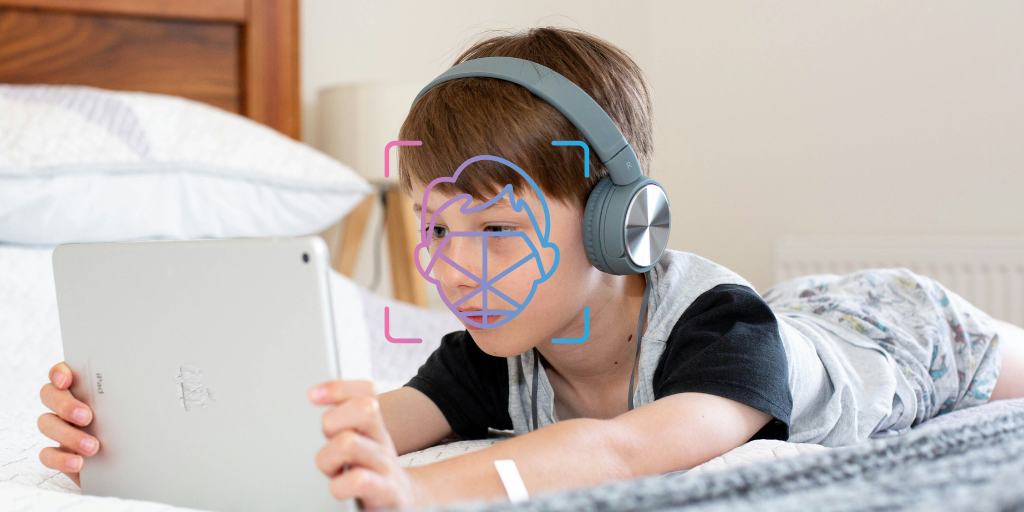
Roblox age verification uses AI-powered facial age estimation to determine a user’s age group and restrict chat features accordingly. While Roblox says images are deleted after processing, parents may still have concerns about privacy, accuracy, and whether kids or adults can bypass the system.
When Roblox’s age-verification system came out, my tween-mom text thread blew up. The TL;DR of the group chat: the kids were upset, and the parents were confused and overwhelmed. To help you wade through this new feature and, most importantly, decide if the new Roblox age verification is safe, I dug in. Here’s what I found.
In January 2026, Roblox rolled out a new age verification system. This is widely thought to be in response to lawsuits claiming Roblox endangered kids. Here’s how the new feature works:
Setting up Roblox age verification is actually quite easy.
In this era of deepfakes and sketchy AI companies, I always think twice about where I upload images of my kids. If you’re similarly skeptical about letting your child scan their face into AI, here are some factors to consider:
Roblox says they use secure collection methods, images are used only for age estimation, and images are deleted immediately after processing. I haven’t seen any reports to the contrary yet, but Roblox also doesn’t have the best track record with handling children's data.
Some parents prefer to scan their own face to verify their child on Roblox, but I strongly caution against it. Doing so means your child will be categorized as an adult and chat with adult strangers online. If you don’t feel comfortable letting your child scan their face, it’s better to just not let them use Roblox chat at all.
If your child doesn’t verify their age, they’ll no longer be able to use chat features on Roblox.
I’ve seen mixed reports on how well Roblox age verification works, from pretty close to wildly inaccurate. Of course, I had to try it for myself.
I created a test account and lied about my birthdate, saying I was 10. (Reader, I am much older than 10.) I never expected Roblox to buy my baloney. What I didn’t expect was for it to clock my correct age down to the exact year. I admit, I was impressed. (And a tad depressed. C’mon, Roblox, you can’t flatter a girl by knocking off even a couple years?)
My hope is that this means they’ve refined the system since the early negative reports.
From holding their device in front of a distracted caregiver to deepfakes to using someone else’s ID, there are many ways for kids to get around Roblox age verification.
But something is better than nothing. Roblox’s previous system was simply to ask users to enter their birthdate with no verification, so this is certainly a step in a more secure direction.
Adults can use different methods to bypass Roblox age verification and get put in a younger age category. There are even age-verified child accounts available for purchase. This is alarming because Roblox is a notorious hotspot for child predators.
If you decide to let your child use Roblox chat, here are steps you can take to keep them safe:
If your child is under 13, you can use parental controls to limit who they can chat with.
Talk to your child about what’s appropriate over chat and what isn’t, how to handle peer pressure, and when to report or block another user.
BrightCanary scans everything your child types on their device across all apps, including Roblox, and sends you real-time alerts if any red flags are detected.
In an effort to keep kids safer on the platform, Roblox recently rolled out a new age verification system that uses AI to estimate how old a user is. Users must now verify their age in order to access chat, and can only chat with other users in their same age category.
BrightCanary helps keep your child safe in all of their chats, including on Roblox. The app scans everything they type across all apps and sends you real-time alerts if any red flags are detected.
Learn more about how to monitor Roblox, and stay informed about parental controls on other popular platforms like Discord and Polybuzz.
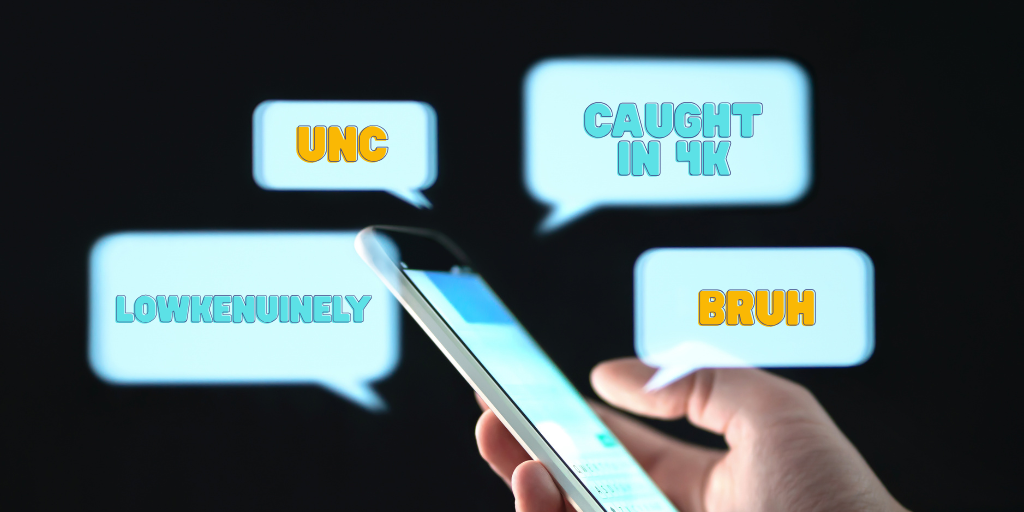
Chat, it’s official: 6-7 is now cringe, and anyone who uses it is low-key giving unc.
Teen slang in 2026 evolves quickly, especially on TikTok, Instagram, and group chats. Understanding common teen slang words — including terms related to drugs, dating, and online culture — helps parents stay informed and spot potential red flags.
To help you keep up, busy parents, I scoured the internet and surveyed dozens of teens, tweens, parents, and teachers to uncover the latest slang. This guide breaks down the latest tween and Gen Z slang in plain English.
So lock in, bruh. This guide will help you slay and get a W with your kid.
Teen slang changes fast. While most of it is harmless, some terms can signal risky behavior. Knowing the difference helps you spot potential red flags, especially when slang relates to drugs, sex, bullying, or mental health.
Just as important, understanding tone versus literal meaning can prevent misunderstandings. Many phrases are exaggerated, ironic, or meant as jokes rather than serious statements.
When parents stay informed, they’re less likely to overreact — and more likely to respond with calm, thoughtful conversations that keep communication open.
Did you know? BrightCanary helps you monitor your tween or teen online by scanning everything they type on their device and sending you real-time alerts about any concerns. And BrightCanary’s custom-trained AI system keeps up with the latest slang, so you won’t miss anything sus.
Want to learn more teen slang? Learn what different emojis mean in text messages, and decode even more teen dating slang.





