
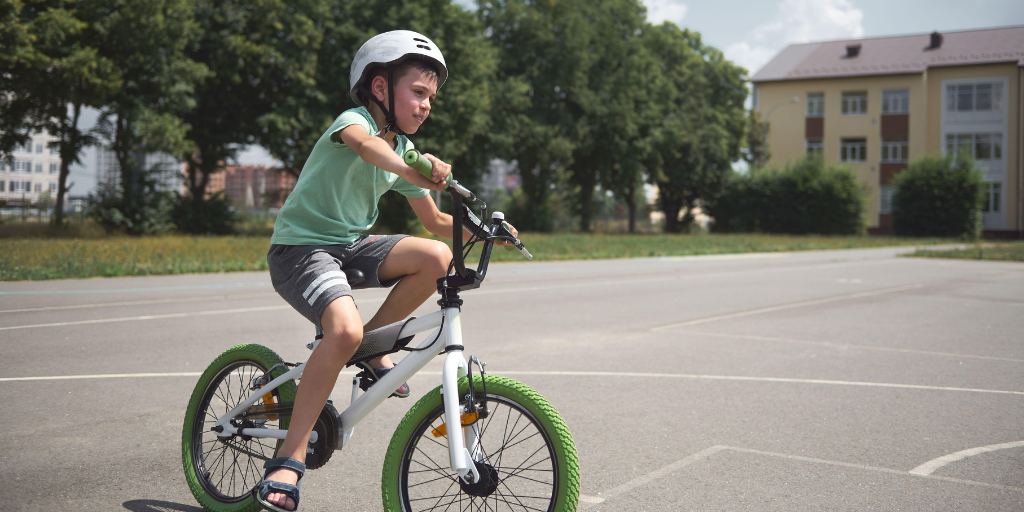
Statistically, kids today are far safer out in the world than their parents were growing up. At the same time, the internet has introduced new risks that parents didn't have to contend with when they were young. Many parents overestimate the dangers their kids face outside of the home and underestimate the risks of online spaces.
The result is kids who are occupied by screens, without enough protections, instead of being encouraged to roam freely outside where they’re safer.
In this article, we’ll go over the facts about online safety versus real-world dangers, the negative impact on kids when parents get the equation wrong, and what to do about it.
The spaces that kids occupy outside the home are safer today than in decades past, while online dangers continue to increase. Let’s look at the facts:
Despite the risks, most parents underestimate the threats their children face online. Here are three ways getting it wrong could put your child in danger:
There are also major downsides to overprotecting children offline. Here are three to consider:
Here are some tips on striking a better balance between online protection and offline freedom:
The world outside your house can feel like a scary place to send your children, but it’s actually online spaces that pose a far bigger threat. Giving your children more freedom offline helps them build important skills, while keeping a closer eye on them online helps them stay safe.
Help keep your child safe online with BrightCanary. Our advanced technology monitors everything your child types online and alerts you when there’s a problem. Download the app and get started today.

This morning, my husband suggested we delete the Instagram accounts he created for our kids when they were born. We started them to make sharing photos with family and friends easier, and the accounts have always been private. But, like many parents in 2025, we’re reexamining social media decisions that previously made sense.
The era of artificial intelligence (AI) — particularly the corresponding explosion of deepfakes — has changed the calculation when it comes to “sharenting.”
Sharenting is a mash-up of “sharing” and “parenting” and is used to describe when parents post news, images, or videos of their children on social media, especially when it’s done excessively.
Deepfakes are images or recordings that have been digitally manipulated using AI to make it appear as if someone did or said something they didn’t. Especially concerning for kids are nudify apps, which can transform a clothed photo into a nude at the press of a button. Some apps even create pornographic animations.
Here are four potential dangers of sharing about your child online in the era of AI:
Considering the risks, you might decide to never post anything online about your child. If you’re like me and aren’t willing to go quite that far, here are five things to consider when deciding whether to post or not.
Ask yourself what benefit you or your child will gain from the post and if the potential risk is worth it to you. Everyone’s calculations are different, and we all have our own risk tolerance, so this is a decision only you can make.
Group iMessage threads or WhatsApp chats are great for sharing updates about your child with family and friends without posting on social media.
If you choose to post about your child online, here are some steps you can take to reduce the risk:
Especially as they get older, it’s valuable to ask your child before you post about them. This empowers them to have control over their digital footprint, and it helps them learn the valuable skill of pausing before posting.
Talk to your children about what you post and let them in on your thought process. Not only will it give you pause to consider your choice, but it will also teach them critical thinking skills they can use when they have their own accounts.
The era of AI has made sharing about our kids online much riskier. Deepfakes, nudifying apps, and increased avenues for predators are just a few of the dangers that artificial intelligence has introduced. Parents need to consider the potential threats before posting about their child online and take steps to minimize the risk, such as using private accounts and Close Friends lists.
While it’s important to be mindful of what you post, it’s even more critical to keep an eye on your child’s activity online. BrightCanary can help you do just that. AI has introduced new risks to kids online, but at BrightCanary, we’ve harnessed the technology for good, using it to monitor your child’s activity online and alert you to any red flags. Download the app today to get started.

For kids who need to be able to call and text family but who aren’t ready for a smartphone yet, Apple Watches are a great option. Apple Watches are also very safe — if they’re set up properly.
This guide will walk you through how to keep your child safe when using their smart watch, including what settings they need and how to monitor their text messages on Apple Watch.
The first thing you should do is set up Family Sharing. This free feature allows you to access important parental controls.
These are the settings we recommend for your child’s Apple Watch to help them stay safe while using the device:
Monitoring your child’s digital communication is an important component of keeping them safe. The best way to monitor your child’s text messages on an Apple Watch is through BrightCanary. Here’s how to get started:
Yes, if you set up text message monitoring with iCloud. This allows you to monitor the texts they send and receive on their watch.
If your child’s Apple Watch is paired with an iPhone, then you can use BrightCanary to monitor all incoming and outgoing texts — whether from an iPhone or an Android. However, if your child only uses an Apple Watch that isn’t paired to an iPhone, BrightCanary can’t monitor texts sent between Android devices and their watch.
Apple Watches are a great alternative to giving your child a smartphone. By using Apple Family to set up parental controls and BrightCanary to monitor their incoming and outgoing messages, you can ensure your child is safe while using their Apple Watch.
Ready to get started monitoring your child’s text messages on their Apple Watch? BrightCanary offers the most comprehensive child safety app for Apple devices. Start your free trial today.
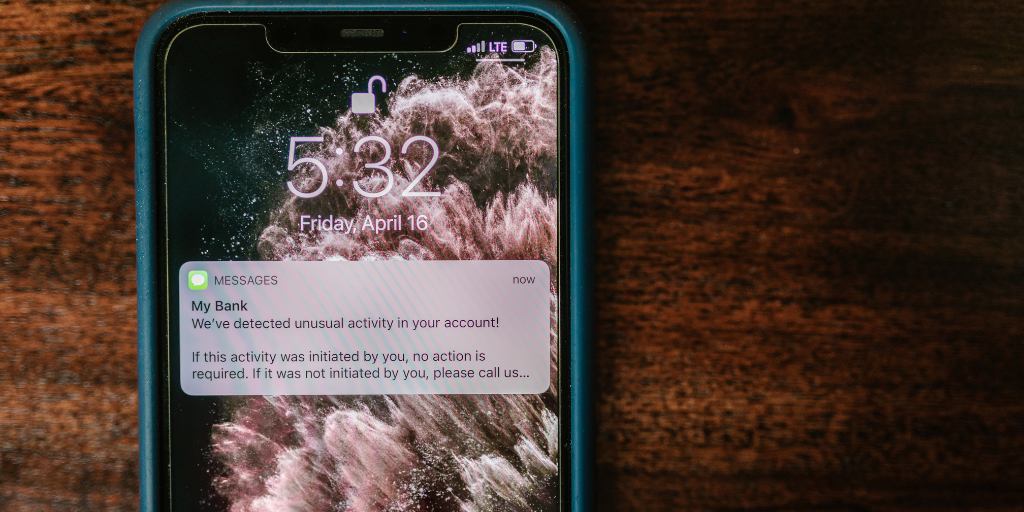
Text message scams, sometimes referred to as smishing, have increased by 50% in the past year. Unfortunately, scammers often target tweens and teens. It’s important to teach your child how to respond to a scam text so they can recognize red flags and how to respond. This guide breaks down how to teach your child to spot scam texts and what they should do when they receive one.
Scam texts are fake messages designed to trick the recipient into doing something that benefits the sender, such as by convincing the target to send them money.
Some scammers try to get personal information, which they will then use to steal their victim’s identity or break into their bank accounts. They may also sell the personal information to other scammers.
In most cases, the best way to respond to a scam text is to not respond at all. Kids often think they have to respond to a text. Teach them that when in doubt, don’t reply.
Here are some other ways you can talk about responding, especially if they aren’t sure if a message is a scam:
Prevention is the best protection.
Text scams are on the rise, and even kids can be targeted. To protect your child, teach them how to respond to a scam text, such as not responding, never sending personal information, and reporting the incident.
BrightCanary offers the most comprehensive monitoring of your child’s text messages. Our advanced AI scans their texts and alerts you to anything suspicious so you can spot scams right away and intervene. Download BrightCanary today to get started.
Welcome to Parent Pixels, a parenting newsletter filled with practical advice, news, and resources to support you and your kids in the digital age. This week:
👾 You can now monitor your child’s Discord purchases: The popular messaging platform and social network Discord recently rolled out updates to its parental control hub, Family Center. Parents can now get insights into their child’s purchases, who they’re chatting with, and total time spent on the platform. This information is limited to the prior seven days.
To set it up, you’ll need to download the Discord app on your device and link your account to your child’s under User Settings. Parents can also control who can message their teen, whether sensitive content should be filtered, and how Discord uses their child’s data, among other features.
And if you want to take Discord monitoring a step further, BrightCanary is the best way on iOS to keep track of what your child types in their chats — so you can stay on top of their interests and any red flags. On our blog, we covered what you should know about Discord servers and how kids use them.
🇩🇰 Denmark aims to ban access to social media for kids: Denmark is the land of smørrebrød, the birthplace of LEGO, and, maybe soon, kids who can’t use TikTok until 15. Many social media platforms require users to be 13 to create an account, but it’s relatively easy for kids to fib their age. Denmark’s proposed ban would force tech giants to enforce age verification, such as through a national electronic ID system, or forfeit up to 6% of their global income. The move follows Australia’s landmark ban on social media for children, which set the minimum age at 16 and likely led to a surge in Australian teens asking ChatGPT about how to set up a VPN.
“We’ve given the tech giants so many chances to stand up and to do something about what is happening on their platforms. They haven’t done it,” said Caroline Stage, Denmark’s minister for digital affairs. “So now we will take over the steering wheel and make sure that our children’s futures are safe.”
While bans aren’t foolproof, they send a clear message that children shouldn’t have unrestricted access to digital spaces — not just social media. If you aren’t sure how to talk to your child about social media’s risks, here are the facts about how it impacts mental health (and what parents and teens can do about it).
📵 Want to fix your child’s screen time? Check your own habits: One of the strongest predictors of a child’s screen time isn’t proximity to an iPad or knowing Mom’s passcode — it’s the parent’s screen time. If you spend all your free time scrolling, odds are high that your child will practice the same behaviors. Fortunately, there’s a fix for that, without having to go back to a flip phone. Here’s how parents can find a balance with their screen time, according to NPR:
Ask yourself if the response can wait. If you’re with your family, do you really have to check your email? If it’s urgent, explain what you’re doing and why you’re doing it — otherwise, you’re signaling to your child that they’re less important than what’s on your screen.
Prioritize quality over quantity with your personal screen time. Maybe FaceTiming family is a source of joy, but binging your go-to true crime podcast before bed is impacting your sleep quality.
Keep devices outside your bedroom, and practice this as a family. Set up a communal charging station or phone lock box in the kitchen or living room, and encourage better-quality bedtime habits (and no true crime binges).
Create device-free zones and times in the house, like no phones at the kitchen table or setting devices to do-not-disturb on the drive to and from school.
Above all else, be kind to yourself — you’re not perfect, and even if you mess up, it’s easy to get back on track.
Parent Pixels is a biweekly newsletter filled with practical advice, news, and resources to support you and your kids in the digital age. Want this newsletter delivered to your inbox a day early? Subscribe here.
Could you imagine growing up without social media? Denmark might soon make that a reality for kids under 15. Whether or not you agree with bans, the idea raises a good question for families: What would life look like if social media waited? Here’s how to spark that discussion:
💬 More teens are speaking up after experiencing challenges online. Seven in 10 teens (71%) aged 13–17 said they sought help or spoke with someone after being exposed to an online risk, like unwanted contact or online bullying. That number is up from 68% in 2024 and a low of 59% in 2023. The findings come from Snap’s five-year study into digital well-being among Generation Z across the globe. Notably, when faced with sexual risks, violent extremist content, and self-harm, fewer teens approached their parents, leaving adults to discover these types of teens’ struggles on their own or from someone else.
💅 Beauty filters may look harmless, but they may be contributing to negative sense of self. Popular beauty filters on social media tend to highlight Eurocentric beauty standards, like small noses and blue eyes. A study found that these beauty filters, along with other race-related online experiences, can negatively affect Black adolescents’ sleep and ability to concentrate on schoolwork the following day.
🍂 The holidays are around the corner, and for many families, that means more screen time because, well, school’s out and there are only so many times you can sing “Deck the Halls” in a car together on the way to find the perfect Christmas tree. (Hit reply if you know what movie we’re talking about.) We’re saving this list of 12 screen-free ways to stay connected over the holidays.

When it’s time to give your kid their own phone, do you give them the hand-me-down iPhone, or opt for a smartphone alternative?
A growing number of families are so concerned about the negative impacts of smartphones that they’re pledging to wait until the end of 8th grade to give their child their first smartphone. Some of the negative impacts of excessive smartphone use include poor sleep quality, declining academic performance, and worse mental health.
But delaying devices doesn’t mean leaving your kids in the dark. There are a number of ways your child can still stay connected. Here are six alternatives to smartphones for kids.
Dumb phones are stripped-down devices that include basic features like calling and texting but forgo the more advanced elements that you’ll find on a smartphone.
They typically include some of the conveniences of a smartphone, like a touchscreen, navigation, and music-playing capabilities, but they leave out the more problematic features like access to social media.
For an even more stripped-down experience, some families are turning to flip phones reminiscent of the early 2000s.
With a flip phone, your child won’t have any of the conveniences of modern communication technology that they might get with a dumb phone, but they also won’t get access to the internet, which some dumb phones include.
Flip phones are also having a bit of a moment with teens, so it might not be so hard to sell your child on the idea.
Smart watches allow kids to text and call preapproved contacts, access navigation tools, and make purchases without access to the internet or social media.
Most also include device tracking, so you can use it to keep tabs on your child’s whereabouts.
Gabb and Garmin both make products specifically designed for kids, or you can use parental controls to customize an Apple Watch for your child.
When my 10-year-old is going to be home alone, we always make sure the family iPad is fully charged. We can then use it to communicate with him over iMessage or FaceTime. He also has contact information for family and friends saved so he can connect with them on the device.
The system is a bit clunky, but it’s a reasonable stopgap, especially if your family already has a tablet.
If you want your child to have more functionality than a tablet or smartwatch when they’re home, but you don’t want to give them their own phone, consider a family cell phone.
The idea here is that it functions much like a landline of yore. That means you’ll want to strip it of all the things you don’t want your child to access and make it clear this is not a personal device.
It’s a good idea to have it stay in a designated spot so it doesn’t sneak into rooms or wander off and get lost.
Much like flip phones, landlines are making a major comeback. The humble landline is an excellent way to help your child stay connected with friends without giving them a smartphone.
As a bonus, they get to practice the lost art of phone skills, which may give them a leg up as an adult.
There’s no reason alternatives to smartphones have to be digital. Here are some great, tech-free options:
There are many benefits to delaying the age at which a child gets their first smartphone, but holding off can leave kids and families with unmet communication needs. Dumb phones, smart watches, and landlines are all great alternatives to smartphones, as are old-fashioned methods like knocking on a friend’s door and arranging in-person hangouts.
If your child uses an Apple Watch or iPad as an alternative to a smartphone, BrightCanary can help you keep them safe with advanced monitoring tools. Our AI scans their activity and sends you an alert if they encounter any red flags. Download the app today to get started.

Between 22% and 47% of kids use a fake age on social media. Although platforms like Instagram and YouTube now use Artificial Intelligence (AI) to help with age verification, kids are leveraging that same technology to bypass age gates.
This article explains the ways kids bypass age verification on YouTube, social media, and other online spaces. It also covers the risks to kids from faking their age on social media and strategies for parents to keep kids safe.
Children are resourceful creatures, and their strategies for bypassing age verification range from straightforward to straight-up inventive.
A startling number of platforms require nothing more than a user-provided date of birth. At BrightCanary, we review a lot of social media apps, and one thing we always assess is the strength of the age verification system. Flimsy measures like self-reported age practically invite children to lie about their age to gain access.
If an app asks for a live selfie to verify age, some users snap a pic of a video game character. Games with hyper-realistic characters, like those from GTA V or The Last of Us, are popular choices, but so are less realistic games that allow users to pose characters and control their facial expressions.
Similar to the video game strategy, some kids take a picture of an actor on screen to submit for age verification, essentially using a celebrity face to pass as an adult.
Another way kids fool AI systems designed to verify age is by using AI. This can be with deepfakes of real people, generative AI images, or age progression apps like FaceApp.
Here are some of the risks kids face when they falsify their age online:
Take these important steps today to protect your child:
Both Apple and Android devices allow you to require permission for your child to download apps. This helps you stay in the loop about what platforms they're on so you can check to see if they’re using a fake age.
Peek at your child’s app settings to see what age they’ve entered. You can find this in their profile or “About” section on most platforms.
How your child presents themselves online can give you clues as to whether they’re pretending to be older than they actually are. Is their bio or posted content more mature than you’d expect for their age? That’s a red flag.
BrightCanary monitors your child across every app they use. If they're talking to their friends about apps they're not allowed on, you'll know.
Talking to your child about the importance of not faking their age online is a vital component of keeping them safe. Here are some tips to get you started:
Partnering with your child is the most effective way to keep them safe online. When you discuss the importance of not faking their age, embrace this team mentality and assume their intentions are good.
If you’re being proactive in bringing up the issue, be clear that it’s not that you don’t trust them; you’re simply trying to help them make good decisions. If you’ve already discovered they lied about their age, start by asking them why they made that choice and be clear that your goal is not punishment — it’s protection.
Explain the dangers of falsifying their age online. When they bypass age verifications, most kids don’t realize the potential consequences. Arming them with this information can help them make safer choices for themselves.
Rather than a “one-and-done” approach, make online safety an ongoing conversation. If it’s a common, casual conversation topic, your child is more likely to be open with you about their behavior and to come to you if they misstep.
A large percentage of kids report lying about their age on YouTube and social media. As platforms use AI to increase their age-verification measures, kids are finding creative ways to bypass the new systems. Faking their age online exposes kids to a variety of risks. Parents need to take a proactive approach to monitoring their child online to ensure they aren’t lying about their age.
BrightCanary helps you monitor your child’s activity online. Download today to get started for free.

Influencers: They call us their bestie, show off their hauls, and model their fits. It may seem harmless, but what happens if your child wants to be one? In this article, we’ll go over what kidfluencing is, the risks, and how to keep your kidfluencer safe online.
A kidfluencer is a child who creates content online with the goal of gaining followers, generating views, and often making money through brand deals or sponsorships.
The term is a mashup of the words “kid” and “influencer.” While social media platforms like Instagram and TikTok technically require users to be 13 or older, many kidfluencers start much younger, with parents managing their accounts.
Some of these children build audiences in the millions — but the spotlight can come with serious safety and mental health risks.
Kidfluencing isn’t something that should be undertaken lightly. Here are the risks you need to know:
If your child wants to be a kidfluencer, take the time to carefully evaluate if it’s the right thing for them and for your family. Putting themselves online in such a public way is no small thing; it’s your job to help them make a sound decision.
Here are some factors to consider:
Carefully evaluate if your child actually wants to be a kidfluencer, or if their motivation may be caused by subtle encouragement from peers or even other parents.
Kidfluencers have substantial influence over their young followers. Help your child understand their responsibility to be a positive role model.
Work with your child to decide what’s okay and what’s a no-go for their account. Consider:
To make sure your child stays safe, you should be involved in their account. That could mean your child creates the content but has no access to the account it’s posted on. It could also mean your child has some access, but you’re the only one who can access messages and control followers.
Some kidfluencers earn large amounts of money from their activity, but most don’t. Make sure you and your child both have realistic expectations for what might come from their efforts. If this is just a fun way for them to express themselves, do they really need to build an online presence, or can they just share videos with friends and family?
If you and your child have talked through all the risks and decided to go ahead with their plan to be a kidfluencer, here are some steps you can take to help keep them safe:
Being a kidfluencer might sound exciting, but it also brings real risks, like predators, exploitation, and mental health problems. If your child wants to be a kidfluencer, it’s important to educate them on the potential dangers and take steps to protect them online.
BrightCanary can help you identify if your child is angling to be a kidfluencer. If your child searches for topics related to becoming the next big influencer or messages friends about their plans, you’ll be able to see it. And our AI-powered Ask the Canary can help you find the right words to talk to them about it. Download the app today to get started.
A kidfluencer is a child under 18 who creates social media content to build an audience and often earns money through sponsorships or brand deals.
Risks include exposure to predators, exploitation, mental health challenges, and loss of privacy.
Parents should manage account access, monitor messages, set clear boundaries, and use tools like BrightCanary to oversee online activity.

To answer this question, I went undercover, creating an account for a fictional 13-year-old on Zepeto. What I found startled me. I was able to easily bypass age verification, encountered wildly inappropriate material, and was exposed to strangers, all within minutes of downloading the app.
Is Zepeto safe for kids? Absolutely not. Here’s everything you need to know about the risks Zepeto poses to kids and how to keep your child safe.
Zepeto is a social media app that feels like an anime-flavored mashup of The Sims, Roblox, and TikTok. Rated for kids ages 13 and up, users create 3D avatars and use them to interact with others, explore virtual worlds, play games, create content, and scroll through a TikTok-style feed.
Instead of snapping a profile pic, Zepeto users select from stock avatars or use their own likeness to create an AI-powered version of themselves. Using this avatar, they can then:
No, Zepeto does not have parental controls. They do have quite a few customizable privacy settings, but here’s why they fall short:
Although there are many features in Zepeto that younger users will find fun, there are also plenty of risks. Here’s what parents need to know:
If your child uses Zepeto, here are some steps you can take to help them stay safe:
Within your child’s account, select “No One” for the following settings:
Make sure they understand the dangers of talking to strangers online, know the signs of grooming, and are clear that they should never reveal personal information online.
BrightCanary monitors everything your child types and sends you alerts if they come across anything concerning. You can also access AI-powered summaries of their online activity, as well as full transcripts.
Zepeto is not safe for kids. Inappropriate content, exposure to strangers, and a lack of parental controls are some of the concerns parents need to know.
If parents choose to let their child use Zepeto, they should take steps to keep them safe, such as adjusting their privacy settings and using a monitoring app.
BrightCanary helps parents monitor their children’s activity on the apps they use the most, including what they type on Zepeto. Download today to get started for free.
Zepeto’s terms of service say users must be 13 or older, but the app has no real age verification — making it easy for younger children to join.
Yes. Anyone can message or follow your child unless you manually change every privacy setting to “No One.”
No. Zepeto only offers basic privacy settings, and kids can change them anytime.
No. Zepeto exposes children to strangers, explicit content, and grooming risks. Parents should monitor activity and use tools like BrightCanary to stay informed.

Tween girls obsessing about their looks and flocking to popular beauty products isn’t new (remember Lip Smackers?). But the rise of social media influencers has pushed this tendency to new and alarming extremes.
Tweens are gravitating toward products that are often unsafe for their young skin and developing unhealthy relationships between their physical appearance and self-esteem.
Here’s what parents need to know about so-called “Sephora kids,” including the role social media plays, the potential risks to kids, and what to do if you’re worried about your tween’s skin care routine.
“Sephora kids” refers to tweens, often girls between 9 and 13, who are fixated on luxury skincare and beauty products promoted by influencers.
The term originated from reports of children shopping at high-end beauty retailers like Sephora, but it’s not used more broadly to describe the intense attachment that many preteen kids have to expensive beauty and skin care products intended for adults.
Social media platforms like TikTok, YouTube, and Instagram have turned skincare routines into a cultural phenomenon, and tweens are watching closely. Here’s what parents need to know about the role social media plays in tween girls’ skincare obsession:
Children acting out adult roles is a normal part of childhood development. But many dermatologists and mental health professionals point to the negative impacts the recent skin care craze can have on tweens.
Many of the products popular with teens contain active ingredients, such as retinol and exfoliating acids, that are designed for aging skin and can be dangerous when used on kids.
Dermatologists warn that misusing and overusing products can lead to:
Hormonal changes, in combination with layering of multiple multiple products on the face, can exacerbate the harm.
The Sephora kid trend also affects emotional and psychological development.
Do you have a Sephora kid? Here’s how to support their physical and mental health:
The social-media-fueled rise of the Sephora kid trend has, in many cases, caused tweens' focus on skin care and beauty to cross over from normal to problematic. Parents need to be aware of the potential physical and mental health risks to kids from a preoccupation with their appearance and educate their child on what content is appropriate for their age.
BrightCanary helps you monitor your child’s online activity so you can spot problems faster, including an unhealthy consumption of beauty content. Download the app and get started today.





