How to Manage Screen Time at Home When Your Child Is on Screens All Day at School

By Andrea Nelson
July 27, 2026
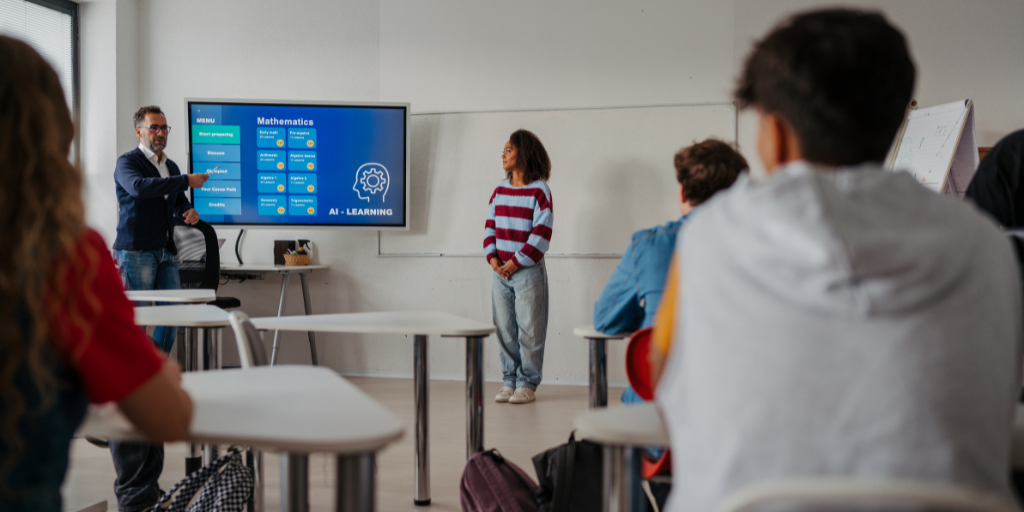
Teens in classroom looking at screen

Los Angeles recently became the first major school district to restrict students’ use of laptops and tablets in the classroom. Around the same time, we requested an amendment to our child’s IEP requiring they be allowed to use a computer as an alternative to handwritten assignments due to their particular learning needs. This juxtaposition made me wonder just how often my kids use devices in school, if it’s too much, and how to balance that against their screen time at home. 

Here’s what to think about as you weigh this issue for your family. 

How much screen time do kids actually get at school?

The actual amount of screen time at school will vary wildly between districts, classrooms, and kids. You likely won't get a hard number unless the school has a firm policy, but here’s where to start: 

1. Ask your child 

They're not always reliable reporters, especially the younger set, but asking these questions can give you a general idea:

  • Are you allowed to go on your device during free time? If so, what activities can you do? 
  • Do you get time on your device when you’ve finished your work? 
  • What subjects do you use your device for? Are there any where you never do? 

2. Check your school or district’s tech policy 

Most districts have a published tech policy. They usually restrict personal device use but rarely specify how often screens are used for instruction. Nevertheless, check before approaching the school directly.

3. Ask the school 

Districts often allow flexibility within individual schools, so it may help to contact the principal directly. Remember that they’re your partner in your child’s education; keep your inquiry respectful and assume best intent. 

Did you know? Thousands of parents use BrightCanary to keep their kids safe online, monitor what they do on their screens, and teach healthy device habits.

How much additional screen time should kids have at home after school?

Like most things in parenting, it depends. Here are the factors to consider: 

  • Their age. Younger kids do better with firm limits because they have less need for screens and less ability to self-regulate. As your child gets older, focus on balance: encourage non-screen activities and help them recognize the signals that they need a break. (But also, I fully empower you to turn off the internet and boot their butt outside when they get glassy-eyed and cranky.) 
  • Their temperament. Getting my kids off screens can be a battle, but once they’re off, they generally transition peacefully to the next activity. I have friends who report even modest amounts of screen time turns their child into a cranky beast. (I use that term with love.) Where on that spectrum your child falls should inform your screen time choices. 
  • Your family. One of our family values is to prioritize relationships. If we’re invited to a friend’s house for dinner, or the kids commit to an activity or team, that comes first — even if it means zero screen time some days. 

How to advocate for screen time balance at your child's school

If you’re not happy with how much time your child spends on screens at school, here’s how to advocate for change: 

  • Get involved with like-minded groups. Organizations like Schools Beyond Screens are already fighting for a more balanced approach to screens in the classroom. Consider lending your efforts. 
  • Push your district to set a policy. The new policy in Los Angeles came about because parents pushed for it. Here are some talking points to bring to your district:
    • What percentage of homework is completed on devices? Does this vary by grade? 
    • What tasks in the classroom are done on screens and what tasks are done without screens? 
    • What is the decision-making process for when and how screens are incorporated into learning activities? 
    • If a student needs a break from screens, is there an alternative for work completion, when possible? 

Remembering the nuances

As you wade through this thorny issue, keep these nuances in mind: 

Every child is different 

As I mentioned, my child needs access to a device in order for their education to be fully accessible. So, even as I advocate for fewer screens as part of classroom instruction, I will go to the mat to ensure this right is upheld. 

Similarly, consider your child’s unique situation. Even if they don’t have an accessibility need, perhaps they have a special hobby that requires a screen, or their favorite class is computer programming. Situations like this may mean your child is on a screen more than some children, and that’s okay. 

Not all screen time is created equal 

Experts widely concede that passive screen time, while not without value, should be more limited than interactive screen activities and ones where children are actively building or creating something. Yes, that includes some video games. They’re not the boogeyman you’ve probably been led to believe. 

Final word

Kids are on screens at school more than ever, making it challenging to balance screen time at home. Find out how much your kids actually use devices at school, then help them manage their at-home screen time based on their age, temperament, and family values. 

Remember that every child’s needs are different and that passive scrolling should be more restrained than active, creative screen tasks. If you’re unhappy with how screen time is handled at your child’s school, advocate for change at the district level. And when they are using their devices, keep tabs with BrightCanary child monitoring.


Instagram logo iconFacebook logo icontiktok logo iconYouTube logo iconLinkedIn logo icon
Be the most informed parent in the room.
Sign up for digital parenting updates.
APA Labs Digital Badge
We've earned the APA Labs Digital Badge
BrightCanary is honored to earn this designation from the American Psychological Association (APA). This APA Labs Digital Badge reflects alignment with APA Labs criteria for scientific principles, safety, ethical use, and usability. It is not an endorsement nor guarantee of effectiveness. APA Labs does not independently test products.
Mom's Choice Awards Honoring Excellence
Excellence in online safety
The Mom’s Choice Awards evaluates products and services created for children, families, and educators. The program is globally recognized for establishing the benchmark of excellence in family-friendly media, products and services. BrightCanary was recognized for our excellence in family-friendly online safety.
@2026 Tacita, Inc. All Rights Reserved.