How to Monitor Your Child’s Text Messages on iPhone

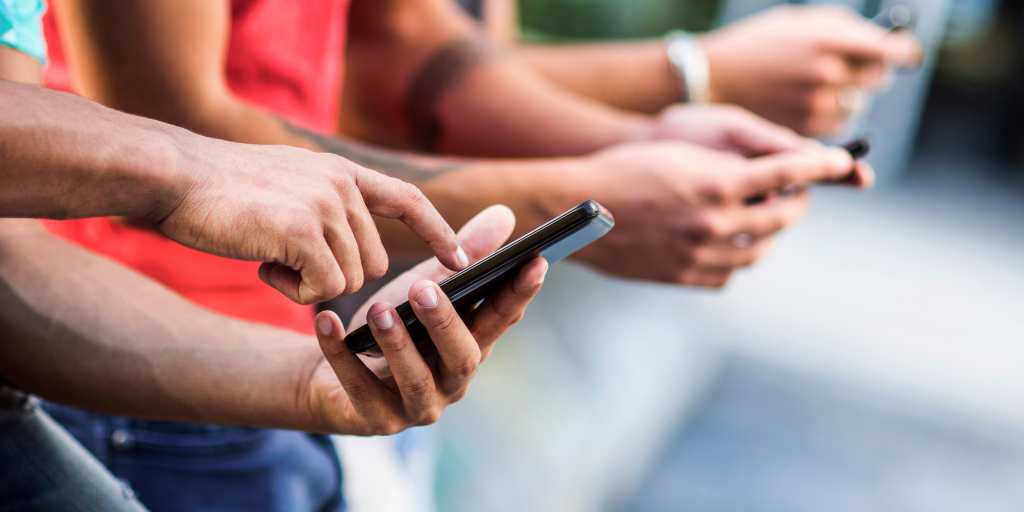
Closeup of hands using phones

It’s a familiar sight: your kid, hunched over their iPhone, furiously texting. You’re dying to know who they’re texting and what they’re saying. But should parents monitor kids’ texts? And what’s the best way to see their texts without overstepping?

The good news is there are options for monitoring your child’s texts on iPhone. The bad news is they’re not all created equal. This guide breaks down your three main options, what each one actually does, and how to set up the one that works best for your family. 

📲 Want to skip ahead? Download BrightCanary iPhone monitoring and start your free trial today.

Should parents monitor their child’s text messages?

Yes, but it depends on how you do it. Parents should stay involved in their child’s texting habits without violating their trust. We’re not talking about spying; we’re talking about ensuring your child’s safety.

Here’s why it matters:

  • Cyberbullying: A majority of teens (59%) have experienced some form of online harassment. Group chats are a common place this plays out, often in ways parents never see. 
  • Explicit content: A quarter of teens say they’ve received explicit images they didn’t ask for. Girls are more likely than boys to report this experience. 
  • Scams: Between 2017 and 2021, the number of young people under 20 scammed online increased over 1,000%. Many scams start with a text message.
  • Predators: Research suggests that as many as 20% of children were contacted or solicited by an online predator in the past year.
  • Unhealthy dynamics: Group chats can turn exclusionary or toxic quickly, contributing to anxiety, depression, and social withdrawal.

How to monitor your child’s text messages on iPhone

The goal isn’t to read every text message, but rather to know when something needs your attention. Here are your three main options and what you get with each one:

1. Use iCloud to mirror text messages on another device

iCloud mirroring lets you sign into your child’s Apple ID on your own iPhone or iPAd so their messages also appear on your device.

How to set it up:

  • Sign in to your child’s iCloud account on your iPhone or iPad.
  • Enable Messages in iCloud to sync texts across devices.

Limitations: There are no alerts for concerning content, and you’ll have to manually skim through messages to find any red flags.

Best for: Parents who want occasional, manual check-ins and don’t need automated monitoring.

2. Set up Apple parental controls

Apple’s built-in tools, available through Screen Time and Family Sharing, let you set limits on who your child can communicate with and filter some types of content.

You can:

  • Limit contacts and restrict who can send messages
  • Enable Communication Safety, which blurs nudity in images sent and received in Messages
  • Set screen time limits and app restrictions

Limitations: There are no real-time alerts, and you can’t see full message threads. 

Best for: Younger kids who are just starting to use a phone, or as a complement to a monitoring app.

3. Use BrightCanary

BrightCanary is built specifically for iPhone monitoring and gives parents the most comprehensive view of what their child is doing online, including texts. 

What you get:

  • Full two-way text conversations, including messages your child receives
  • Images, videos, and group chats
  • Deleted texts
  • Real-time alerts when BrightCanary detects concerning content, including drug references, self-harm, explicit messages, bullying, and more
  • Customizable alert categories and sensitivity settings (light, standard, or strict)
  • AI-powered summaries of your child’s activity so you don’t have to read every message
  • Monitoring across all the other apps your child uses: Snapchat, Instagram, Discord, Google, YouTube, and more

Limitations: BrightCanary doesn't offer location tracking or screen time limits, which are tools freely available on iOS devices through Apple Screen Time and Family Sharing.

Best for: Parents who want a customizable solution to monitor texts on iPhone and every other app on their child's device.

How to set it up:

  1. Download BrightCanary on your device and create a child profile
  2. Install the BrightCanary Keyboard on your child’s iPhone — this is a one-time setup that takes a few minutes
  3. Connect your child’s iCloud account to enable full text message monitoring
  4. Approve the sign-in request on your child’s device and enter the two-factor authentication code if prompted

New messages may take a few hours to appear initially, then monitoring updates in real time. 

What about other apps? 

Some monitoring apps promise iPhone text monitoring but fall short in practice. Bark, for example, requires installing a desktop app on your home computer and plugging in your child’s phone. That means you can only monitor text messages on iPhone when your child’s device is home and on the same WiFi as your computer.

BrightCanary is different. The app makes it easy to keep track of what your child types, whether they're texting someone on an Android phone, iPhone, or in a group thread. No computer required.

Learn more about how BrightCanary works, or download the app and start your free trial today.

How to talk to your kids about monitoring their texts

Transparency works better than secrecy. Kids who know monitoring is in place and why are more likely to come to you when something goes wrong. That’s why we don’t recommend spying on your child’s texts. Instead, be upfront about monitoring.

Here’s how we approach the conversation in our own households:

  • Lead with safety, not suspicion. Frame monitoring as a condition of having a phone, not a punishment or a sign of distrust. “I need to be able to check in on your messages because that’s part of keeping you safe” lands differently than “I’m watching you.”
  • Be clear about what you’re looking for. Let them know your concerns — predators, bullying, explicit content — so they understand the purpose is specific, not general surveillance.
  • Tell them what you will and won’t read. With BrightCanary, you can honestly say: “I get summaries of your activity, and I only look more closely if something concerning comes up.”
  • Build it into your family’s agreements. Consider writing monitoring into a digital device contract so expectations are clear on both sides from the start.

If you’re stumped, consider this conversation starter: “I respect your privacy, but I also need to make sure you’re safe. Here are the situations where I may need to look at your messages.”

You should also be clear about your red-flag concerns, such as suicidal thoughts, bullying, and involvement with a predator. 

Let them know that if you find anything worrisome, you’ll address the issue together. 

Frequently asked questions

1. Can I see my child’s text messages on iPhone without them knowing?

You can log into their iCloud account on your desktop or iPad. However, most experts recommend against going behind your child’s back. BrightCanary provides a transparent way to monitor messages while maintaining trust.

2. Does BrightCanary monitor deleted texts?

Yes. BrightCanary preserves deleted texts within the chat thread, marked as “deleted,” so you have a complete record of conversations.

3. Can I see group chats?

Yes. BrightCanary monitors group text threads in addition to one-on-one conversations. 

4. What is the best app to monitor my teenager’s iPhone?

BrightCanary is built specifically for iOS, which means it outperforms other monitoring apps on iPhone. It monitors texts, social media, AI apps, and every other app your child uses, all from one dashboard.

4. What age should parents stop checking their kids’ phones?

It depends on your child’s maturity level and the trust you've established with them. As children grow and demonstrate responsible behavior, it's essential for parents to gradually grant more privacy to foster independence. 

It's a good practice to maintain open communication with your child about this topic and adjust your approach based on their development and the unique dynamics of your relationship.

5. How do I monitor my child’s text messages on Android?

BrightCanary is currently iOS-only. You can monitor your child’s text messages and social media messages on Android using Google Family Link.

In short

While texting is a wonderful way for kids to maintain friendships and exercise their independence, there are also a number of risks. It’s advisable to maintain some level of involvement in your child’s text messages, using a combination of text message monitoring and open communication. 

BrightCanary gives you visibility and peace of mind with real-time alerts, activity summaries, and full transcripts when you need them. Download BrightCanary on the App Store to get started.


Instagram logo iconFacebook logo icontiktok logo iconYouTube logo iconLinkedIn logo icon
Be the most informed parent in the room.
Sign up for digital parenting updates.
APA Labs Digital Badge
We've earned the APA Labs Digital Badge
BrightCanary is honored to earn this designation from the American Psychological Association (APA). This APA Labs Digital Badge reflects alignment with APA Labs criteria for scientific principles, safety, ethical use, and usability. It is not an endorsement nor guarantee of effectiveness. APA Labs does not independently test products.
Mom's Choice Awards Honoring Excellence
Excellence in online safety
The Mom’s Choice Awards evaluates products and services created for children, families, and educators. The program is globally recognized for establishing the benchmark of excellence in family-friendly media, products and services. BrightCanary was recognized for our excellence in family-friendly online safety.
@2026 Tacita, Inc. All Rights Reserved.