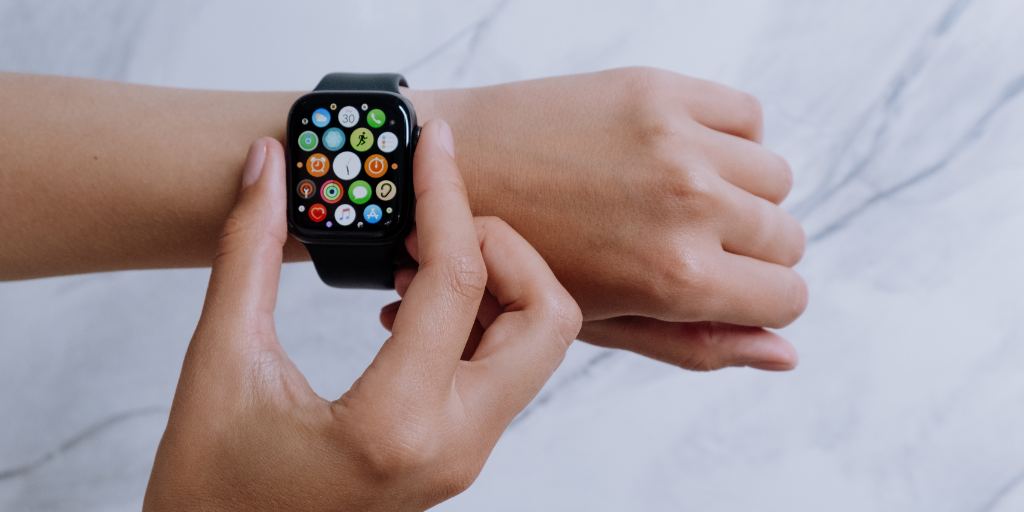
For kids who need to be able to call and text family but who aren’t ready for a smartphone yet, Apple Watches are a great option. Apple Watches are also very safe — if they’re set up properly.
This guide will walk you through how to keep your child safe when using their smart watch, including what settings they need and how to monitor their text messages on Apple Watch.
How do I set up my child’s Apple Watch to keep them safe?
The first thing you should do is set up Family Sharing. This free feature allows you to access important parental controls.
How to set up Family Sharing on your child’s Apple Watch
Turn on the Apple Watch. Press and hold the side button until the Apple logo appears.
Pair the watch with your iPhone. If your child doesn’t have an iPhone, they can still use an Apple Watch with a cellular plan. In this case, to set up parental controls, you’ll need to pair their watch with your iPhone. There are two ways to do this:
The pairing screen: Bring your iPhone near your child’s Apple Watch. Wait for the pairing screen to appear on your iPhone, then tap Continue.
The Apple Watch app: Open the Apple Watch app on your iPhone. Tap My Watch > All Watches > Add Watch.
Add your child as a family member. Tap Set Up for a Family Member, then Continue.
Connect your iPhone and their Apple Watch. When prompted, position your iPhone so that the Apple Watch appears in the viewfinder in the Apple Watch app. This is the final step in pairing the two devices.
Tap Set Up Apple Watch. Follow the instructions on your iPhone and Apple Watch to finish setup. (See below for what safety settings we recommend.)
What safety settings should I put on my child’s Apple Watch?
These are the settings we recommend for your child’s Apple Watch to help them stay safe while using the device:
Communication controls. In Screen Time, set your child’s watch so they can’t communicate with anyone who isn’t in their contact list.
SOS. In Emergency SOS, turn on the option that allows your child to hold the side button to call emergency services.
Emergency contacts. In Emergency SOS, add yourself and other trusted adults as emergency contacts.
Schooltime. Schooltime blocks notifications and disables the use of apps on your child’s Apple Watch. Select the days and times you want your child’s device to automatically go into Schooltime.
How to monitor text messages on your child’s Apple Watch
Monitoring your child’s digital communication is an important component of keeping them safe. The best way to monitor your child’s text messages on an Apple Watch is through BrightCanary. Here’s how to get started:
Sign up for Text Message Plus. To monitor your child’s texts on their Apple Watch, you’ll need the Text Message Plus plan. This allows for two-way monitoring of all messages they send and receive.
Use alerts, summaries, and insights. BrightCanary monitors every text your child sends and receives and alerts you to any red flags. Periodically check the AI-powered summaries and emotional insights to keep in tune with your child’s communication, and open up full transcripts when you need the full picture.
FAQ
Can I monitor texts on my child’s Apple Watch with the BrightCanary Protection Plan?
Our Protection Plan is powered by the BrightCanary Keyboard, which can’t be installed on Apple Watches. In order to monitor texts on your child’s Apple Watch, you’ll need Text Message Plus. This allows you to monitor the texts they send and receive on their watch.
Does BrightCanary monitor texts between an Apple Watch and an Android user?
If your child’s Apple Watch is paired with an iPhone, then you can use BrightCanary to monitor all incoming and outgoing texts — whether from an iPhone or an Android. However, if your child only uses an Apple Watch that isn’t paired to an iPhone, BrightCanary can’t monitor texts sent between Android devices and their watch.
Summary
Apple Watches are a great alternative to giving your child a smartphone. By using Apple Family to set up parental controls and BrightCanary’s Text Message Plus plan to monitor their incoming and outgoing messages, you can ensure your child is safe while using their Apple Watch.
Ready to get started monitoring your child’s text messages on their Apple Watch? BrightCanary offers the most comprehensive child safety app for Apple devices. Start your free trial today.