
Another day, another news article about Harry and Meghan, the British prince and his American actress wife who famously stepped back from their royal duties to start afresh in California.

In their Netflix docu-series Harry & Meghan, the pair claim racist attacks by the British press are what drove them away from royal life. In a widely-televised interview with Oprah, Meghan alleged a senior royal made comments about her unborn child's skin color. She said she had also asked for mental health support, and the royal establishment refused.
If your children are on social media, there’s a good chance they’ve seen something about Harry and Meghan. Here are some topics that might come up, and how to approach them.
The couple’s six-part docuseries, released in December, became the biggest documentary debut ever for Netflix. In January, Harry published Spare, his blockbuster memoir about growing up as a royal and the trajectory of his and Meghan’s relationship.
Harry and Meghan’s revelations about her treatment by the press and the royal family raises a number of issues, including the challenges of being in such a high-profile relationship and the difficulties of confronting racism within a historical institution. It also touches on the need for better mental health awareness.
🤝 Instantly understand what your kids are seeing on Google, YouTube, TikTok, and social media: Start your free week!
Your child has likely heard talk about Harry and Meghan on social media, and they may have questions around issues such as mental health, racism, and media bias. Here are ways to broach these topics with your child.
Whether or not you are on “Team Harry and Meghan,” the couple’s struggles in the public eye are a great conversation starter about important topics affecting kids today.

Getting a young child their first phone is a big decision. And naturally, parents will have a lot of questions—is it too soon? Do they need it? Are they responsible enough? Is it safe at this age? What age should a child get a phone?
There are a lot of benefits to your child having a phone. They can reach you when they’re at a friend’s house, they can call you if practice ends early, and they can call grandma directly to tell her that mom still hasn’t figured out how to make her cinnamon rolls.
Then on the other hand, you get so many warnings and dangers that you might think you’re harming your child if you give them a phone too soon. So, what’s the right age?
Are you hurting your child by giving them a phone early? The research is mixed. According to a study conducted by Stanford Medicine, there isn’t a correlation between when kids get their phones and their overall well-being. The study also found that the average age children get a phone is 11.6 years old, and the average age range is 10.7 to 12.5 years old.
But a recent global study found the opposite.
So while studies are still being conducted, your decision will depend on your child and your family’s beliefs.
You probably wonder why a young child would need a phone. It's more common to hear about the negatives, so you might be surprised at how many scenarios there are when a phone makes sense:
Of course, giving a child a phone has pros and cons. First, let’s start with the good:
Understanding the downsides of giving a child a phone is important too. They include:
No two children are the same, but here are some signs your child is ready for a phone:
If your child exhibits any of the following signs, they may not be ready:
There’s no right or wrong age to get your child a phone. It depends on your child’s maturity level, ability to handle such an investment and your child’s activities that might warrant getting a phone much sooner than others. Don’t base your decision on what other families do, but on what you and your family value and need for peace of mind.
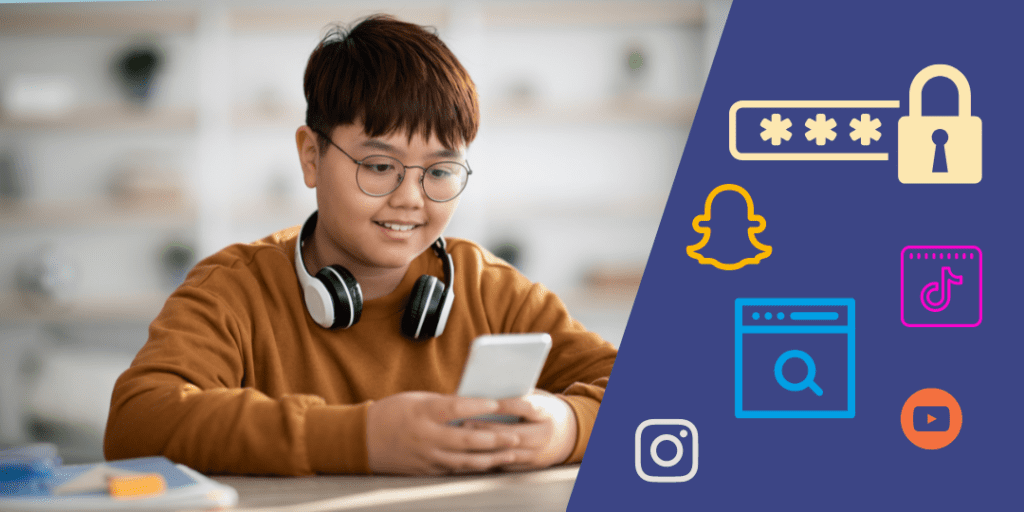
As a parent, it’s important to stay in tune with your child’s online world. Having access to their passwords allows you to monitor who they’re communicating with and what content they’re accessing on the internet. Knowing your kids’ passwords also protects them from inappropriate content. Here are some of the benefits of having your kids’ online passwords.
If you have your kids’ logins for social platforms and other online services, you can help them choose stronger passwords that are more likely to stay secure from hacking attempts since weak passwords are more prone to breaches.
You'll also be able to make sure their online accounts have two-factor authentication (2FA) enabled as an additional layer of security, further reducing the risk of theft or hacking attempts by people who might want access to those accounts without permission.
In a perfect world, you wouldn't need to log into your child's accounts for safety reasons. But in case of emergency, it's better to have access to critical information.
There’s a lot of content out there that’s inappropriate for certain age groups, and it’s easy for kids to access questionable content — both accidentally and on purpose. If you’re monitoring your kids’ activity, you can help guide them when they run into a situation they weren’t ready for.
Bullying is an issue across age groups, so if you’re keeping an eye on your kids’ online interactions, you can help your children through potential bullying situations as they arise, before they escalate.
BrightCanary doesn't require passwords to monitor most apps, but you'll need your child's logins to monitor Google and YouTube and set up text message monitoring with iCloud. We always recommend using a monitoring app in conversation with your child and explaining why you need their password — it's not spying, it's parenting.
Having your kids’ passwords can save you from going through lengthy password recovery processes. Video game platforms are especially clunky when it comes to password recovery — the steps and checks can seem endless.
It’s good that platforms have security measures in place, but it’s super inconvenient when you lock yourself out of your own account. If you have your kids’ passwords, you’re ready.
💡 Download your free password guide, including the most important passwords to talk to your child about.
If you have access to your kids’ passwords, you can enable parental controls — either through the devices themselves, or on an app’s built-in parental control settings.
Sometimes kids get upset when you put restrictions on their devices, but they get used to it. Let them know that you will revisit their settings often and adjust them as they get older and develop their tech smarts.
If your child's password is ever compromised, you will be able to quickly respond and change it before someone has a chance to do harm with it.
In cases when devices or accounts are connected to a parent account, you will sometimes get alerts to your parent account when there’s unusual activity on your child’s device. It all depends on what behaviors trigger an alert, and what device and app settings are activated.
Having your children’s passwords can provide you with an extra layer of security while they are exploring the digital world. Remember, as a parent, it is your responsibility to make sure that your kids are not exposed to any dangerous or inappropriate content online. Keeping their passwords secure will also help protect them from identity theft, phishing scams and other online fraud. This way you can ensure that your kids have safe and enjoyable digital experiences.

A lot of children watch YouTube on their parent’s account or when not logged in at all. Sure, it’s easier to avoid the hassle of creating a child YouTube account, but there are reasons why your child should have their own YouTube Account that's separate from yours.
Read on to learn about the benefits of creating a YouTube account for your child and whether or not you should allow them to post videos on the app.
YouTube suggests videos based on what you search and watch. When you finish watching one video, it will suggest what to watch next. If you take no action, YouTube will choose for you and start playing the next video automatically.
If your child doesn’t log in to a YouTube account, they start fresh every time — which means they could be served content that’s not of interest to them or possibly inappropriate for their age.
What happens when you share an account with your child? You might have to skip through a few CoComelon nursery rhymes while you’re trying to catch up on highlights from last night’s game. Or, your child might be happily watching one Peppa Pig episode after another when she ends up on a “how to fix a dripping faucet” tutorial because you were watching a plumbing video earlier.
Things get dicey when you, as an adult, are consuming content that’s appropriate for you, but not necessarily appropriate for kids. If you watched the Dahmer documentary trailer last night, YouTube might later serve your child true crime videos that are too disturbing for them. Remember, YouTube thinks that everyone watching under one account is the same person.
Separate accounts can help ensure that you see what works for you, and your kid sees content that’s appropriate for their age.
If your child has their own YouTube account, you can link a parent monitoring tool to their account and stay on top of what types of content your child is consuming.
If you share an account, the app doesn’t know when you’re watching versus when your child is watching.
A harmful content alert from your child’s watch history might get buried among alerts from your watch history, and you might miss out on an important conversation with your child. Separate accounts ensure that you know when your child is viewing inappropriate content.
Monitor your child’s YouTube account free for 7 days with BrightCanary.
YouTube has a minimum age requirement of 13 to create an account. If your child is younger than 13, you can create a YouTube Kids account for them under your account. YouTube Kids filters content and shows videos that are appropriate for younger viewers. You can also control the settings and restrict mature content or search results.
YouTube Kids also has parental controls that allow parents to block content, share specific content with your child, turn search on or off, review your child’s watch history, and more.
It's not a perfect solution—inappropriate content sometimes gets through. But it's far better than letting them roam the internet without any filters at all. A good monitoring tool can help bridge the gap — unlike other apps, BrightCanary can also monitor YouTube Kids.
Creating content for YouTube comes with an entirely different set of concerns than consuming content, including:
As a parent, only you can decide what your child is ready for and what kind of risk you’re willing to take on. If they’re insistent, you can consider letting them post unlisted videos, which aren’t available through search. Only people you share them with can view them.
Ultimately, the decision of whether or not to set up a separate child YouTube account is up to you. If you do decide to set them up with their own account, be sure to monitor their activity and check in regularly with them about the content they’re consuming. With some precautions in place, a YouTube account can be a great way for your child to learn and explore their interests.

If you’re the parent of a teen or tween, you’ve probably heard of TikTok. The video-sharing app has skyrocketed in popularity in recent years, with more than one billion monthly users worldwide.
According to a 2022 survey from the Pew Research Center, TikTok is now the most popular social media platform after YouTube among teenagers aged 13 to 17.
But there are ongoing concerns that the app’s algorithm for pushing video content and encouraging endless scrolling endangers the mental health of teenagers and young children. Several U.S. states have launched investigations into TikTok’s potentially harmful effects on young users.
As a parent, there are steps you can take to protect your child from harmful online content. TikTok’s Family Pairing feature allows you to link your account with your child's so that you can monitor their usage and control what they watch.
With Family Pairing, you can:
Read on to learn how to pair your child’s TikTok account with yours.
Before getting started, you’ll first need to create your own TikTok account. Once you’ve done that, you’ll need your phone with the app installed, as well as your child’s phone to set up Family Pairing.
From your child’s device:
That’s it! You’re connected.
While you have your child’s phone and TikTok account open, it’s a good idea to set a password. There’s a good chance your child didn’t set one when they created their TikTok account.
From here, you have options.
The Daily Screen Time feature allows you to control how much time your child spends on TikTok each day. You can choose 40 minutes, 60 minutes, 90 minutes, or 120 minutes. The feature generates a code so you can allow your child more time if you choose.
If you activate Daily Screen Time, your child won’t be able to log out and switch to another account to bypass any time limits.

Restricted Mode filters out inappropriate content — to a point. It’s not perfect, and the app invites parents to report any harmful content that gets through.
As with Daily Screen Time, if you have Restricted Mode activated, your child will not be able to log out and switch to another account.

Here, you can turn the search feature on or off. If it’s off, your child’s feed will be limited to what the app shows. Your child will not be able to look for specific types of content.

Under the Family Link Privacy and Safety section, you have a few settings to choose from:
Even with Family Pairing in place, parental controls can only go so far. It’s important to keep a close eye on what your child messages and searches across all the apps they use with BrightCanary monitoring.
TikTok Family Pairing takes only a few minutes to set up and allows you to regulate your child's screen time, filter inappropriate content, turn their search function on or off, and set up privacy settings to limit who can contact them or add them as a friend. Still, the best line of protection is to keep an open line of communication between you and your child. Ask them what kinds of things they see on TikTok, what their favorite types of videos are, who their favorite creators are, and ease into safety topics. With regular check-ins, they'll get used to keeping it all out in the open.

When it comes to kids, electronic devices get a bad rap. But let’s face it — these days, iPads and smartphones can be a classroom tool, a way to stay connected to friends and family, and a source of entertainment. Still, too much screen time may lead to negative effects. That’s why, as a parent, it’s important to help your child develop healthy habits and set guidelines around screens. How much screen time is too much? How do you draw the line in a hyper-connected world?
Here are some tips for setting up successful screen-time boundaries.
Screen time is the amount of time spent using electronic devices such as smartphones, tablets, and computers. It can also include watching TV and playing video games.
A growing body of evidence suggests that excessive screen time has negative physiological and psychological effects. For example, one study found that toddlers who interacted with screens more at ages 24 and 36 months performed more poorly on a screening measure assessing development milestones at 36 and 60 months. A meta-analysis looking at children through age 18 found that screen time was associated with negative psychological outcomes, while “green time,” or contact with nature, was associated with positive psychological outcomes. Another study found that excessive screen time exacerbated suicidal behavior in tweens.
According to the National Library of Medicine, excessive screen time for kids could lead to:
Common Sense Media reports that tweens are using devices for 4 hours and 44 minutes per day, and teens are using screens for 7 hours and 22 minutes per day.
There is no one-size-fits-all answer to this question. Every family and child is different, so it’s important to consider your individual needs when deciding how much screen time is appropriate.
The American Academy of Pediatrics (AAP) has clear guidelines limiting screen time for children under two years old:
| Under 18 months | Screen time is discouraged, except for video chatting |
| 18 to 24 months | High-quality programming or apps, used together with caregivers. Children in this age range should not use media by themselves. |
| Over 2 years | Screen use should not exceed 1 hour per day of high-quality programming. View or play on devices with your children, and to engage in plenty of screen-free activities with your children as well. |
For kids aged 5 and older, the AAP previously advised they should have less than two hours of screen time per day. They've since changed their approach because most kids use screens for more than two hours daily, and not all screen time is the same. Now, they recommend that families create a plan that works best for them, considering their children's screen usage and their family's unique needs. They also urge parents to help their children develop healthy media habits in their early years.
Additionally, you may want to create rules that limit screen time during certain times of the day or week, such as mealtime and bedtime.
The AAP also encourages parents to ensure that their children get sufficient sleep, physical activity, and plenty of media-free activity. Additionally, the AAP suggests that bedrooms should be a screen-free zone.
The American Academy of Child and Adolescent Psychiatry (AACAP) has produced similar guidelines, and also recommend that parents turn off all screens during family meals, educate themselves on parental controls, and avoid using screens to babysit children or to quiet a child who is upset.
To encourage quality sleep, the AACAP suggests that screens should be removed from bedrooms 30-60 minutes before bed.
While recommendations start with the baby years, there’s no need to feel guilty if you’re still in the process of learning about the guidelines or if your child is used to more screen time than the guidelines recommend. It’s never too late to start healthy screen time habits.
Screen time isn’t inherently bad – in fact, it can be an educational tool if used the right way. But there are plenty of other activities that can keep your child entertained and engaged. Here are some screen-free activities to consider:
To check screen time on your child’s iPhone, go to Settings, then click Screen Time. From there, you can monitor and manage your child’s device usage.
To check your child’s screen time from your device, Family Sharing must be active for your children. Go to Settings, Screen Time, then choose the child whose screen time you’d like to view. In addition to viewing their total time online, you can set a number of controls, such as down times, content restrictions, and you can block specific apps from being used.
To check screen time on your Android, open the Settings app and scroll down to "Digital Wellbeing & Parental Controls." This will give you access to various tools that allow you to monitor and manage your child’s device usage as well as control content restrictions. You can also set limits for individual apps or overall total daily screen time.
It’s never too early or too late to put healthy device boundaries in place. Here’s how to go about it.
These are meant to get you started. You don’t have to use all of these, and you don’t have to implement them all at once. Pick a few at first, and see how they work for your family. It can be overwhelming to make several changes in one swoop, so start slow and add guide rails incrementally.
Creating healthy screen time habits for your family can help keep everyone safe, connected and engaged in activities other than screens. It’s important to set limits on the amount of screen time your child is allowed each day. When deciding what works for your household, consider how much time you as a parent want to allow, be mindful of your child’s current habits, and then set limits depending on your child’s age and development stage. Start with small increments and work up from there as needed.
When it comes to setting limits on screen time for kids and teens, having clear guidelines in place will help them stay healthy and create balance in their lives. Make sure they are following AAP recommendations and that they are engaging in other activities such as outdoor play, reading and socializing with friends. Additionally, monitoring activity can be a great way to ensure your teen is staying within set guidelines.





