Your teen or tween is begging to use Discord — but is Discord safe for kids? If the idea of vetting one more app feels daunting, we’ve got you. Discord parental controls and safety settings can help limit explicit content, who can contact your child, and more.
This Discord parents’ guide breaks down the platform, the newest Family Center updates, and how to use safety settings to help your child stay safe online.
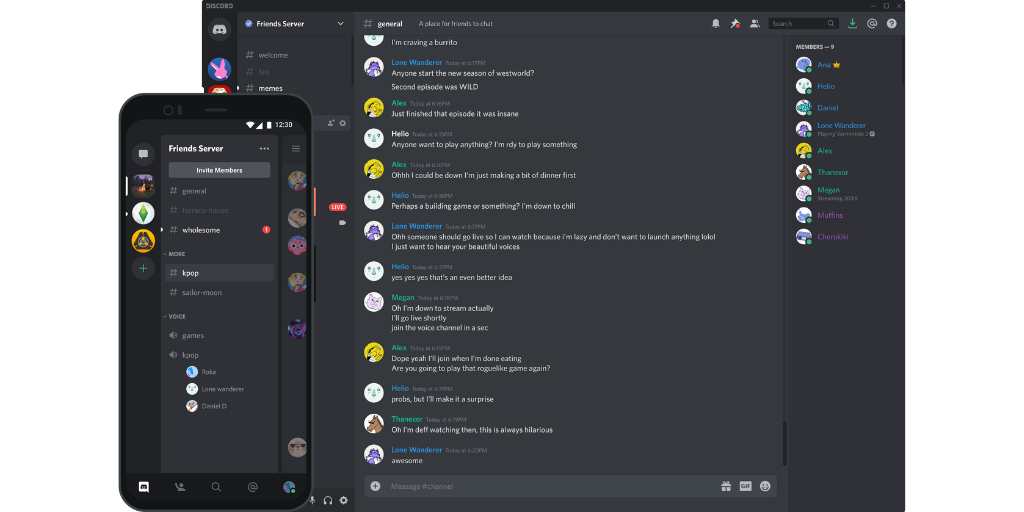
Discord is a messaging platform and social network where users communicate through text, voice, or video in DMs (direct messages), group chats, and large topic-based communities called servers.
Originally created as a way for gamers to chat while playing online together, it’s expanded to include many different (and often extremely niche) interests.
It has the real-time communication vibe of FaceTime with the message-board functionality of Reddit.
Pro tip: When you install BrightCanary on your child's iPhone or iPad, you can also monitor what your kids type on Discord, helping you spot risks early. Try it for free today.
“Servers” are what Discord calls communities formed around specific topics. These servers are set as either text or voice channels. Anyone can create a server and set it to either public or private.
Like any platform allowing open chat, there’s some risk that your child may be exposed to inappropriate material.
However, Discord parental controls and safety features make the platform a reasonably safe experience for teens. The minimum age for Discord users is 13, and the platform recently released "teen-by-default" settings that limit access to adult channels and content.
Here’s a rundown on the available safety features, including new Family Center updates released in late 2025:
Discord requires that users be over the age of 13 to use their platform. There are additional built-in restrictions for users under 18.
Discord now requires age verification, but it's still possible for crafty kids to skirt around this restriction. It’s a good idea to sit down with your child when they first set up their account and explain why those age guardrails matter.
The person who sets up and runs a server can set certain limitations, such as automatic filtering of explicit images and videos. Server owners are free to establish ground rules for users, such as prohibiting swearing or hate speech. Owners can choose to moderate the server themselves or have this done by a bot.
As a parent, it’s a good idea to review the guidelines of the servers your child joins and understand the content users post.
If your child wants to use Discord primarily to chat with friends, consider asking them to set up a private server that can be joined by invitation only.
Discord’s Family Center allows parents to see more, guide more, and collaborate with their teen, while still protecting message privacy. Here’s a rundown of Family Center:
When parents set up Family Center, they can see:
Parents can’t see the content of their child’s messages in Discord Family Center, but you can monitor what they type with BrightCanary on iOS.
If your teen reports a user or piece of content, they can choose to notify you. The alert does not include report details, but it’s a helpful prompt to start a conversation.
Parents can now manage select account settings for teens, including:
Discord encourages parents and teens to set these together to align safety with your teen’s autonomy.
Discord’s platform can feel overwhelming to the uninitiated, so they’ve created a guide that walks through setting up your Family Center. Here’s the TL;DR:
To set up Family Center, you’ll need to create a Discord account on your mobile device. From there, go to User Settings → Family Center → Enable Family Center tab.
Your teen will need to give you the generated QR code that is located in their Family Center tab under the Connect with Guardian option.
Once linked, tap on My Family to see:
Under the Privacy and Safety section of your child’s account settings, there are a handful of features to maximize the safety of their Discord experience. We recommend setting the following:
With this feature, users can elect to have all direct messages (DMs), or only messages from non-friends, scanned and filtered for explicit material.
Users can also choose to have their DMs scanned and filtered for spam.
This setting can be toggled on to allow messages from other users in a server.
If direct messages are enabled, a user can allow messages from any users on that server — or only messages from their friends. We recommend the latter.
One caveat: Messages from non-friends aren’t blocked entirely, they’re sent to a separate “message requests” folder, so your kid can still access them if they choose.
Servers can be set as age-restricted by the owner, preventing users under 18 from accessing them.
Discord allows servers to be set as Not Suitable for Work (NSFW). Users under 18 are automatically prevented from joining NSFW servers.
In the Privacy and Safety settings, users can prevent the app from collecting and using their data for customization or analytics.
Discord is an excellent way for your teen to interact with friends, learn about topics of interest, and connect with others around shared interests. Because it’s an open chat platform, parents and kids need to be aware of the risks. By using safety features, talking to your kid about how to use the platform responsibly, and monitoring their use, it’s possible for Discord to be a safe, positive environment for your teen.
Want to monitor your child's Discord activity on their iPhone or iPad? Download BrightCanary today and start monitoring what they send across every app they use, including Discord, Roblox, Reddit, and more.