Is Threads Safe for Kids? The Facts Parents Should Know

By Andrea Nelson
October 27, 2026
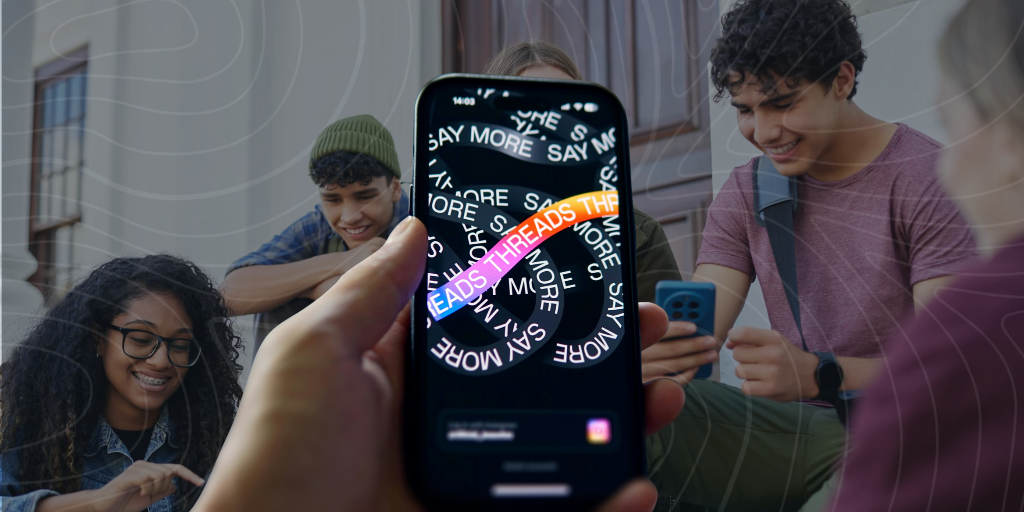
Hand holding Threads app in front of kids

If your child is on Instagram, they’ve already been exposed to Threads because Threads content is often cross-promoted on Instagram. But is Threads safe for kids? It can be if proper measures are taken. 

What is Threads?

Threads is Meta’s answer to X (RIP Twitter). It’s a text-based social media platform, though you’ll find plenty of videos and photos, too. Threads, which has the same parent company as Instagram, is heavily integrated into that platform with follower syncing and cross-posting.

How does Threads work? 

To join Threads, users must have an Instagram or Facebook account and use the same login information. 

Threads posts are limited to 500 characters, five-minute videos, and ten photos. 

Threads minimum age 

The minimum age to use Threads is 13 in most locations. 

Does Threads have age-verification? 

Threads age verification happens when a user sets up their Instagram or Facebook account. 

Currently, this age verification is weak in the United States. Threads uses the third-party age verification platform Yoti, but it’s possible for kids to bypass age verification measures by using someone else’s ID. However, recent laws and court proceedings mean this issue is evolving. 

Does Threads have parental controls? 

As of September 2026, Threads finally has parental controls. Here’s the rundown: 

Threads parental controls on Teen Accounts 

Kids aged 13–17 are automatically given a Teen Account with built-in protections.

  • Default private accounts.
  • Content limits. 
  • Tags and mentions only allowed by people they follow.
  • Potentially offensive comments are automatically hidden. 
  • Sleep mode turns on from 10 p.m. to 7 a.m.
  • Reminder to close Threads at 10 p.m. or after 60 minutes total in one day.
  • Users under 18 can’t send or receive direct messages on Threads. 

Supervision settings for parents on Threads 

You can set up a supervision account through the Meta Family Center. (If your child is aged 16–17, you need their permission.) With supervision, you can: 

  • See how much time your teen has spent on Threads each day for the past week, plus their average daily usage.
  • Set a daily Threads time limit for your teen and block access during specific days and times. 
  • Decide if your teen sees a reminder or is blocked when sleep mode turns on.
  • Restrict who can tag your teen in posts.
  • See who your teen follows, who follows them, and who they’ve blocked. 
  • Opt to get weekly notifications of any accounts your teen starts to follow and new followers.  

Risks to kids from Threads

Here’s what I encountered using my test account for a 13-year-old user.

1. Inappropriate content

  • My “For You” feed was fairly tame*, which was a pleasant surprise. (*See Strangers section below.)
  • When searching for terms like “sex,” “drugs,” and “guns,” I was blocked from seeing related posts but could see related profiles, allowing me to easily find profiles featuring inappropriate content. 
  • Most terms related to disordered eating, suicide, and self-harm also blocked me from seeing related profiles. 
  • I was able to delete my search history, meaning your teen can easily cover their tracks. (Unless you use BrightCanary!)  

2. Strangers 

Users under 18 can’t use private messages, which offers some protection against predators, but concerns remain. 

  • Predators can use public interactions to groom your teen, then lure them to platforms with private messaging. 
  • Many profiles with provocative photos aimed to lure users to private messaging apps — for example, by linking their Telegram account in their bio.
  • I was about to say my “For You” feed was totally tame until I spotted the shirtless, older man with a link to his Zangi Private number. A mixed bag, then? 
  • Teens can join the Dating Threads community, which includes adults. 

3. Cyberbullying 

Like other social media platforms, cyberbullying is a risk on Threads. 

How recent algorithm changes could make Threads less safe for teens

Threads recently confirmed to The Independent that it adjusted its algorithm to show users posts they’re more interested in. One stated reason for the changes, that it “could increase the posts you see from those you follow,” might be good for teens by reducing the chances they’ll stumble upon something harmful. 

However, Threads said the change would show the profiles Threads thinks will interest users, including ones they don’t yet follow. This part concerns me because of what we know about the dangers of algorithms to kids: exposure to accounts with inappropriate content, encouraging a sense of always staying online, and more. 

Meta’s unethical handling of minors and algorithms is just as concerning. In March of 2026, a jury found Meta liable for endangering children. Prosecutors argued that Meta’s algorithms were designed to addict teens and to recommend eating disorders and self-harm content to them.    

How to keep your child safe on Threads

  • Adjust their algorithm. Help them periodically reset their algorithm (here’s how) to minimize the chances their feed will be cluttered with dangerous content. 
  • Set up parental controls. Make sure your child is on a Teen Account, and set up supervision. These measures aren’t perfect and shouldn’t be your sole measure of protection, but they’re a great start, particularly when combined with a monitoring service.
    Use a monitoring service. By using BrightCanary, you can see if your child is using Threads, plus the content of their text-based posts and comments (even if they delete them). And, if BrightCanary notices any red flags, you get a real-time alert. 

Final word: Is Threads safe for kids? 

Threads isn’t as risky as some social media platforms, largely because users under 18 don’t have access to private messages, but it’s not risk-free. 

Inappropriate profiles are easy to find, predators can make contact through public posts, and recent algorithm changes could potentially push dangerous content into your teen’s feed. To help your child stay safe on Threads, use a layered approach by setting up supervision, helping them reset their algorithm regularly, and using a monitoring service like BrightCanary to fill in the gaps. 

Instagram logo iconFacebook logo icontiktok logo iconYouTube logo iconLinkedIn logo icon
Be the most informed parent in the room.
Sign up for digital parenting updates.
APA Labs Digital Badge
We've earned the APA Labs Digital Badge
BrightCanary is honored to earn this designation from the American Psychological Association (APA). This APA Labs Digital Badge reflects alignment with APA Labs criteria for scientific principles, safety, ethical use, and usability. It is not an endorsement nor guarantee of effectiveness. APA Labs does not independently test products.
Mom's Choice Awards Honoring Excellence
Excellence in online safety
The Mom’s Choice Awards evaluates products and services created for children, families, and educators. The program is globally recognized for establishing the benchmark of excellence in family-friendly media, products and services. BrightCanary was recognized for our excellence in family-friendly online safety.
@2026 Tacita, Inc. All Rights Reserved.