
Messages should typically sync within a few minutes. Delays can occur due to storage limits, Apple routing behavior, or temporary connection interruptions.
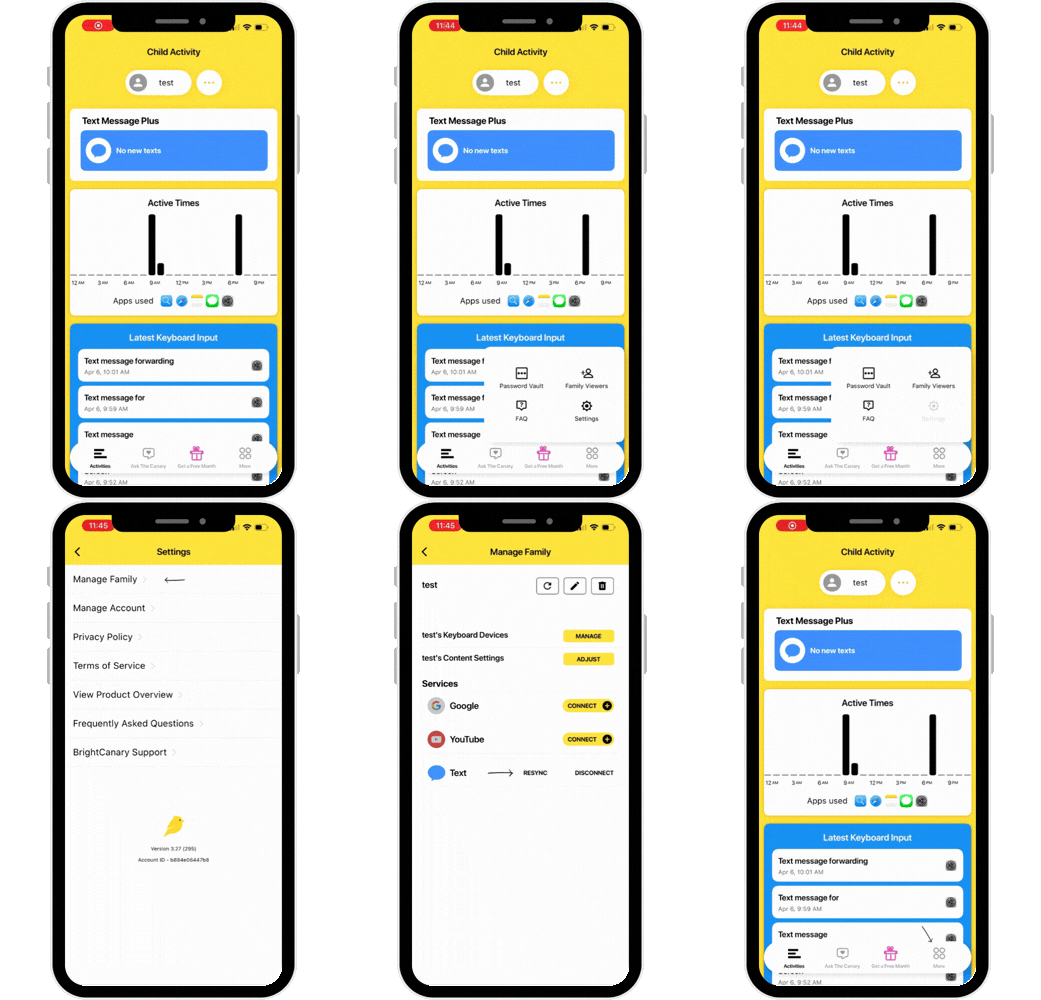
Resyncing forces the app to re-download all available messages.
If your child’s iCloud storage is full, Apple may delay or stop syncing messages to third-party services.
You may see an “iCloud Storage Full” alert on the device.
To resolve, this issue, delete unneeded photos or videos, or upgrade storage. Here's a guide from Apple.
In rare cases, Apple may apply your child’s Screen Time restrictions to our monitoring servers, limiting message checks. Email support@brightcanary.io and provide your 4-digit Screen Time code so we can work with Apple to resolve this. This does not change your child’s Screen Time settings.




